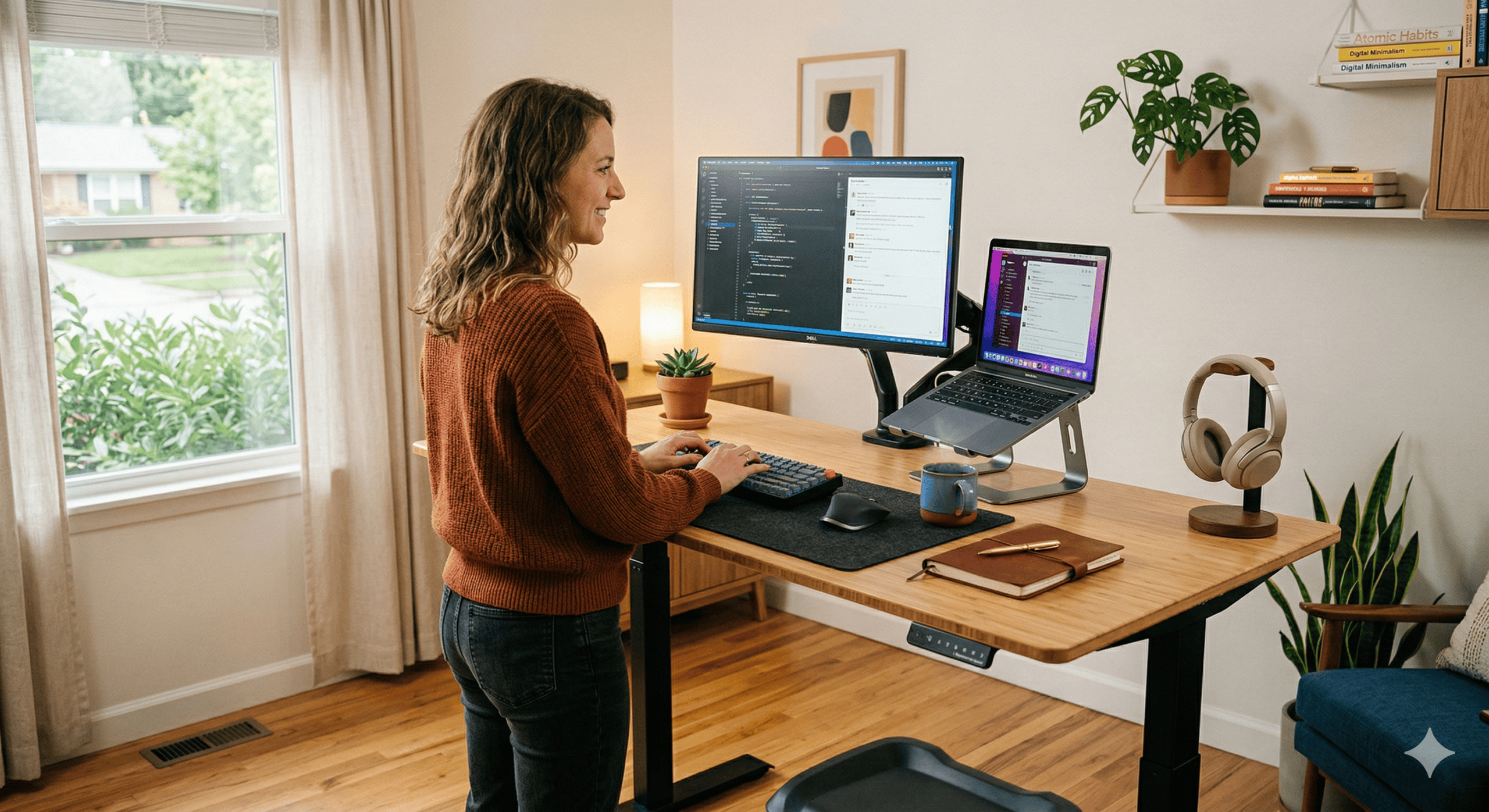
I’ll be honest — I spent way too long picking my first standing desk. Like, embarrassingly long. We’re talking spreadsheets, Reddit rabbit holes at 2 AM, and at least three “I think I found the one” messages to friends who definitely didn’t care.
The thing is, standing desks under $300 are a weird space. There are genuinely great options hiding next to absolute junk, and the Amazon listings all look suspiciously similar. So I did what any reasonable person would do: I went deep. I compared specs, read hundreds of real user reviews, watched every YouTube teardown I could find, and narrowed it down to the 5 desks that are actually worth your money in 2026.
If you’re in a hurry — the FlexiSpot EC1 is my top pick for most people. It hits the sweet spot of price, stability, and features. But keep reading, because depending on your space, budget, and setup, one of the others might be a better fit for you.
Quick comparison
| Desk | Best for | Motor | Weight capacity | Height range | Size options |
|---|---|---|---|---|---|
| FlexiSpot EC1 | Best overall | Single | 154 lbs | 28″ – 47.6″ | 42×24 to 55×28 |
| Fezibo Electric | Best budget | Single | 154 lbs | 28″ – 48″ | 48×24, 55×24 |
| VIVO V103E | Best stability | Single | 176 lbs | 28″ – 47″ | 43×24, 48×30 |
| Monoprice Workstream | Easiest setup | Single | 154 lbs | 28.3″ – 47.2″ | 48×30 |
| Sihoo D03 | Best features | Dual | 176 lbs | 28.3″ – 47.2″ | 55×28 |
1. FlexiSpot EC1 — Best overall under $300
Here’s the thing about the FlexiSpot EC1 — it’s boring in the best way possible. No fancy gimmicks, no LED strips, no built-in wireless charger. It’s just a really solid standing desk that does exactly what you need it to do, day after day.
FlexiSpot is actually made by Loctek, who manufactures frames for a bunch of other brands too. So when you’re buying the EC1, you’re essentially getting the “house brand” version — same factory quality, minus the markup. The single motor moves at about 1 inch per second, which isn’t blazing fast, but it’s quiet enough that you won’t disrupt a Zoom call when you switch positions.
The 154 lb weight capacity sounds modest on paper, but let’s do the math: a 27-inch monitor weighs about 10-15 lbs, a laptop another 5 lbs, add a keyboard, mouse, some books, a coffee mug — you’re probably around 40-50 lbs total. That leaves plenty of headroom. Unless you’re planning to park a CRT monitor and a printer on here (and if you are, we need to talk), 154 lbs is fine for most hybrid work setups.
One thing I really appreciate: the height range starts at 28 inches, which works for people around 5’3″ and up when sitting. And at 47.6 inches max, most people up to about 6’2″ can stand comfortably.
What I like
- Rock-solid value — you’re paying for the desk, not the brand name
- Multiple desktop sizes so you can match your space
- Quiet motor that won’t interrupt your calls
- Programmable height presets (on the upgraded keypad option)
What could be better
- Single motor means slower transitions than dual-motor desks
- Cable management is basically nonexistent — you’ll want to DIY that
- FlexiSpot’s customer service has a mixed reputation
- Some wobble at maximum height (though this is true of most desks in this range)
My take
If you want the most desk for your dollar and you don’t need fancy extras, the EC1 is the one. I’d recommend the 48×24 size for most home offices — it’s big enough for a monitor, laptop, and all your stuff without eating your entire room. Grab the upgraded keypad with memory presets if it’s available — the convenience of one-touch height switching is worth the extra few bucks.
2. Fezibo Electric Standing Desk — Best budget pick
Under $150 for an electric standing desk that actually works? Yeah, that’s where we are in 2026, and the Fezibo is the reason. This desk has been quietly dominating Amazon’s bestseller lists, and after digging into why, it makes sense — Fezibo figured out how to strip out everything nonessential and focus on the stuff that matters.
The build quality won’t win any awards, but it’s surprisingly decent for the price. The desktop is a standard laminate — nothing fancy, but it’s smooth, easy to clean, and doesn’t look cheap on camera during video calls. The motor is quiet and gets the job done. Will it last 10 years? Probably not. Will it last 3-4 years of daily use? Based on user reviews, most likely yes.
What I find really smart about the Fezibo is the splice board design on some models — the desktop comes in two pieces that you connect during assembly. This means the shipping box is smaller, which saves on shipping costs, which is part of why the price is so low. Clever.
What I like
- Insanely good price for an electric standing desk
- Memory presets on the keypad — a feature some $300+ desks skip
- Available in multiple colors and sizes
- Good enough for “let me try this standing desk thing” without major commitment
What could be better
- Splice board desktop feels less solid than a single piece
- Frame is lighter gauge steel — you can feel the difference vs. FlexiSpot
- Wobble is more noticeable at standing height, especially on carpet
- Warranty and support are limited
My take
The Fezibo is perfect for two types of people: someone who’s never used a standing desk and wants to test the waters without spending too much, or someone who needs a functional desk for a temporary setup (rental apartment, short-term project, guest office). If you fall into either camp, this is a no-brainer. If you know you’ll be using it daily for years, spend a bit more on the FlexiSpot EC1.
3. VIVO V103E — Best for stability
If your biggest worry about a budget standing desk is wobble (and honestly, it should be), the VIVO V103E is worth a serious look. It consistently gets praised in reviews for feeling more “planted” than other desks in this price range, and there’s a good reason for that — the frame is noticeably heavier gauge steel than what you’ll find in the Fezibo or even some FlexiSpot models.
The 176 lb weight capacity is a nice step up from the 154 lbs you see everywhere else at this price point. That extra headroom means you can comfortably run a dual-monitor setup without worrying about maxing out the motor. The three-button programmable keypad is simple but functional — sit height, stand height, and one more for whatever you want.
The trade-off? It’s the slowest desk on this list at 0.9 inches per second. We’re talking about 20 seconds to go from sitting to standing. Not a deal-breaker, but if you switch positions frequently throughout the day, it might test your patience.
What I like
- Noticeably more stable than comparably priced desks
- Higher weight capacity (176 lbs) — great for dual-monitor setups
- Solid build quality with heavier steel frame
- 30-day return window to test it out
What could be better
- Slowest adjustment speed in this roundup (0.9″/sec)
- No anti-collision safety feature
- Only 3-year warranty (shorter than FlexiSpot’s 5 years)
- The keypad looks and feels a bit cheap
My take
If you have a heavier setup — dual monitors, a laptop on a stand, maybe a desk lamp and some speakers — the VIVO’s extra stability and weight capacity make it the smarter pick over the EC1. The slower speed is a minor annoyance, not a real problem. I’d take a stable desk that moves slowly over a wobbly desk that moves fast, every single time.
4. Monoprice Workstream — Easiest to assemble
Look, I know “easy assembly” doesn’t sound like a selling point. But if you’ve ever spent 2 hours hunched over an IKEA desk with an Allen wrench and regret, you know it matters. The Monoprice Workstream comes with the frame pre-attached to the desktop, which cuts assembly time roughly in half compared to everything else on this list.
Monoprice is one of those brands that flies under the radar. They’ve been selling affordable tech and office gear for years, and their standing desks are a hidden gem. The Workstream has a nicer-looking keypad than the VIVO, the motor is smooth and relatively quiet, and the 48×30 desktop gives you a generous 30 inches of depth — something most budget desks skimp on at only 24 inches.
That extra depth is a bigger deal than it sounds. With 30 inches, you can push your monitor further back, which is better for your eyes, and still have room for a keyboard, notepad, and whatever else you keep within arm’s reach.
What I like
- Fastest assembly of any desk on this list — seriously, it’s almost enjoyable
- 30-inch depth gives you real workspace to breathe
- Clean, professional look — the keypad is particularly nice
- Collision avoidance feature included
What could be better
- Fewer size options than FlexiSpot
- Build feels more “home office” than “commercial grade”
- Not as widely reviewed — harder to find long-term user feedback
- Returns can be a hassle (shipping cost on you)
My take
The Monoprice is the desk I’d recommend to a friend who says “I just want something that works and I don’t want to spend my Saturday assembling it.” The 30-inch depth and collision avoidance at this price point make it a genuinely smart buy.
5. Sihoo D03 — Best features for the price
The Sihoo D03 is the overachiever of this list. It’s one of the few desks under $300 that packs a dual motor, anti-collision technology, and a spacious one-piece desktop. Sihoo is better known for their ergonomic chairs, but they’ve clearly applied the same “give people more than they expect at this price” philosophy to their desks.
The dual motor setup means smoother, more balanced lifting — you won’t get that slight tilt that sometimes happens with single-motor desks when one side lifts a fraction of a second before the other. It also means slightly better weight distribution, which contributes to overall stability.
The anti-collision feature is genuinely useful if you have stuff under your desk (a tower PC, a cable tray, your dog). The desk detects resistance and stops + reverses automatically. It’s the kind of safety feature that you don’t think about until the one time it saves your monitor from getting crushed against a shelf.
What I like
- Dual motor at a sub-$300 price — rare and impressive
- Anti-collision technology for safety
- One-piece desktop (no splice boards)
- Quiet operation — under 50 dB
What could be better
- Newer brand in the standing desk space — less long-term data
- Height range tops out at 47.2″ — taller folks (6’2″+) might want more
- Limited color options
- Availability can be spotty depending on your region
My take
If you want the most features crammed into a sub-$300 desk, the Sihoo D03 is it. The dual motor and anti-collision combo at this price is genuinely hard to beat. My only reservation is that Sihoo is relatively new to standing desks, but based on their chair quality, I’m cautiously optimistic.
What to look for when buying a standing desk under $300
Before you hit “add to cart,” here are the things that actually matter — and a few that don’t.
Stability > everything else
A wobbly desk is a useless desk. At standing height (40-48 inches), even small wobbles get amplified — your monitor shakes, your coffee threatens to jump ship, and typing feels like you’re on a boat. When reading reviews, search for “wobble” and “shake.” If multiple people mention it, skip that desk.
Weight capacity (but don’t overthink it)
Most setups weigh 30-50 lbs total. A capacity of 154 lbs gives you 3x headroom, which is plenty. Only go for 176+ lbs if you’re running dual monitors on heavy stands, or if you plan to add equipment over time.
Height range — check both ends
The minimum height matters as much as the maximum. If you’re under 5’5″, a desk that only goes down to 28 inches might be too high for comfortable sitting. The max height matters for standing — a 6’0″ person generally needs about 44-46 inches.
Desktop size — depth matters more than you think
Everyone obsesses over width, but depth is what determines whether your monitor is at a comfortable viewing distance. 24 inches deep is the minimum. 28-30 inches is ideal.
Things that don’t matter as much as you’d think
Motor speed differences (0.9″/sec vs 1.2″/sec) translate to maybe 5 seconds of extra wait time — not worth stressing over. Built-in USB ports sound cool but are often low-power and awkwardly positioned. And “sit-stand reminders” on the keypad? I’ve never met anyone who actually uses them after the first week.
Frequently asked questions
Are cheap standing desks worth it?
Yes, with a caveat. Desks in the $140-300 range from established brands (FlexiSpot, Fezibo, VIVO) are genuinely functional and will last several years. What you’re giving up compared to $500+ desks is mostly build quality, warranty length, and max height range for very tall users. For most hybrid workers, a $200 desk does 90% of what a $500 desk does.
How long do budget standing desks last?
With normal use (2-4 height changes per day), expect 5-7 years from the motor and frame. The motor is rarely what fails first — it’s usually the control box or the keypad. Both are relatively cheap to replace.
Single motor vs dual motor — does it really matter?
For most people, no. Single motor desks are slightly noisier and can have a barely-perceptible tilt during adjustment, but it’s not something you’d notice in daily use. Dual motors matter more for heavier setups (100+ lbs on the desk).
Should I get a standing desk mat?
If you plan to stand for more than 30 minutes at a stretch, absolutely. Standing on hard floors without a mat leads to foot and lower back fatigue faster than you’d expect. A good anti-fatigue mat costs $30-50 and makes a night-and-day difference.
Can I use my own desktop with these frames?
Most standing desk frames at this price are sold with the desktop included. If you want a custom top (butcher block, IKEA countertop, etc.), look for “frame only” options from FlexiSpot — the EC1 frame alone is significantly cheaper.
The verdict — which one should you buy?
After all that research, here’s how I’d break it down:
For most people: Get the FlexiSpot EC1. Best balance of price, quality, and proven reliability. It’s the Toyota Camry of standing desks — not exciting, but you’ll never regret it.
On a tight budget: The Fezibo is genuinely impressive for what it costs. Perfect for trying out the standing desk lifestyle without a big investment.
Heavy setup (dual monitors): Go with the VIVO V103E. The extra stability and weight capacity are worth the slightly slower motor.
Hate assembling things: The Monoprice Workstream will save you time and frustration, plus you get the bonus of a deeper desktop.
Want the most features: The Sihoo D03 gives you dual motor and anti-collision at a price that shouldn’t be possible.
And if your budget can stretch a bit higher — the FlexiSpot E7 (starts around the mid-$300s) is a meaningful upgrade with dual motors, 355 lb capacity, and programmable presets. We’ll have a full review coming soon.
Whatever you pick, the most important thing is this: any of these desks is infinitely better than no standing desk. Your back will thank you. Your energy levels will thank you. And your 3 PM Zoom face will look noticeably less dead. Trust me on that last one.
Last updated: March 2026. We revisit this guide every months to check prices, availability, and any new models worth adding.