Once you’ve decided which mesh system fits your home office — our Eero vs Google Nest WiFi comparison and Eero 6+ vs TP-Link Deco breakdown both cover that — the remaining question is where to buy mesh wifi from, since mesh systems bought through the wrong channel can quietly cost you the manufacturer’s own cloud features and warranty support.
Where to Buy Mesh WiFi for Your Home Office (2026)
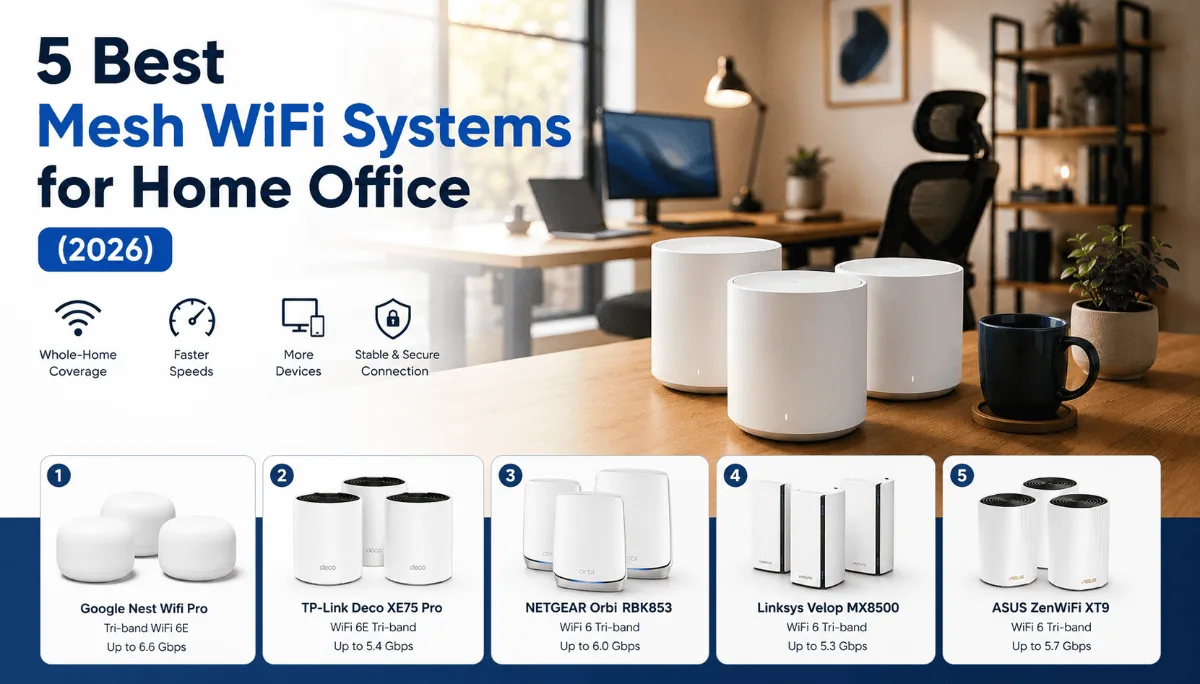
Mesh WiFi is a strange category to shop for used or through third-party sellers, in a way that a lot of buyers don’t realize until after checkout. Unlike a webcam or a pair of headphones, most mesh systems are tied to a single owner account through the manufacturer’s app — Eero, Google Nest WiFi, and TP-Link Deco all work this way. Buy a unit that’s still registered to a previous owner, whether that’s a used listing or an unauthorized reseller offloading returned stock, and you can be stuck factory-resetting hardware that won’t fully release from the last account, or worse, unable to activate cloud features at all.
That single detail changes where to buy mesh wifi more than it does for almost anything else on this site.
⚡ Where to Buy Mesh WiFi — Quick Verdict
| 🏆 Safest path | New, sealed unit from Amazon (sold/shipped by Amazon or brand) or the manufacturer’s own site |
| ⚠️ Skip | Used or “open-box” listings from sellers who can’t confirm the unit was factory-reset and de-registered from the previous account |
| 🔁 Best for multi-unit setups | Manufacturer direct — often bundles multi-packs at a better rate than piecing together single units |
| 💵 Best value path | Certified refurbished direct from the brand, confirmed de-registered |
Where to Buy Mesh WiFi: Channel by Channel
| Channel | Warranty Length | Return Window | Account Lock Risk | Restocking Fee |
|---|---|---|---|---|
| Amazon (Ships/Sold by Amazon or brand) | Full manufacturer warranty (1-2 yrs) | 30 days | None (new, sealed) | None |
| Amazon (third-party / used) | Seller-dependent | Seller-dependent | High | Varies |
| Manufacturer direct (Eero/Google/TP-Link site) | Full manufacturer warranty | Usually 30 days | None | None |
| Best Buy / warehouse club | Full manufacturer warranty | 15-90 days, in-store | None (new, sealed) | None on unopened |
| Certified refurbished (brand program) | 90 days to 1 yr | Usually 30 days | Low (pre-verified reset) | None |
Buying Mesh WiFi on Amazon
A new, sealed mesh system from a verified Amazon listing is the simplest path, and setup is straightforward because the unit has never been claimed by another account. The risk shows up specifically on used or “open-box” listings, including some sold directly through Amazon’s own renewed program, where the previous owner’s account wasn’t fully released from the hardware before resale. When that happens, the app can refuse to add the unit as a new device, and getting it unlocked means going through the manufacturer’s support process with proof of purchase — not something you want to deal with after your home office WiFi is already down.
If you’re buying anything other than a new, sealed unit, it’s worth a quick check with the seller (or the manufacturer’s support chat before you buy) on whether the specific unit’s serial number shows any prior account association.
Buying Direct from the Manufacturer
Eero, Google, and TP-Link all sell direct, and this is genuinely the best channel for anyone setting up a multi-unit mesh network, since manufacturer sites frequently bundle 2-pack and 3-pack pricing that beats piecing together single units elsewhere. Buying direct also guarantees the unit has never been registered to another account, which matters more for this category than almost any other on this site.
Buying from Best Buy or a Warehouse Club
New, sealed mesh systems from physical retail carry the same account-freshness guarantee as buying direct, with the added benefit of an easy in-store return if the coverage in your specific home doesn’t match expectations — mesh performance varies more by home layout than almost any other category on this site, and a return option that doesn’t involve reshipping networking hardware is genuinely useful here.
Buying Refurbished Mesh WiFi
Manufacturer-certified refurbished mesh systems are one of the few refurbished categories worth actively considering, specifically because the certification process includes de-registering the unit from any previous account — the exact risk that makes uncertified used listings risky in the first place. Buy refurbished only through the brand’s own program, never a generic third-party “renewed” listing with no explicit confirmation of that reset.
Red Flags Worth Knowing
The single biggest red flag in this category is any listing that can’t confirm the unit is new and never previously activated — that’s a different risk profile than most electronics, where the concern is mainly counterfeiting. The FTC’s guidance on buying online is a useful general checklist before any networking-hardware purchase. Also worth watching: a “renewed” or “open-box” listing with no mention of a factory reset, a price steep enough below new that it suggests returned stock being offloaded quickly, and a seller who can’t answer a direct question about prior account registration before you buy.
Can I buy a used mesh WiFi system safely?
Only if you can confirm it’s been factory-reset and released from the previous owner’s account before you buy. Without that confirmation, you risk hardware that won’t fully activate under a new account.
Why won’t my mesh router add to the app as a new device?
This almost always means the unit is still registered to a previous account. It’s the most common issue with used or improperly reset mesh hardware, and resolving it typically requires contacting the manufacturer’s support with proof of purchase.
Where’s the best place to buy mesh wifi for a multi-unit setup?
Manufacturer direct sites and Amazon both tend to price 2-pack and 3-pack bundles below buying the same number of single units separately, and most homes need at least two nodes for full coverage anyway.
Is certified refurbished mesh WiFi safe to buy?
When it’s through the brand’s own certified refurbishment program, yes — part of that certification process is confirming the unit has been reset and released from any prior account. A generic third-party “renewed” listing doesn’t carry that same guarantee.
🏆 Where to Buy Mesh WiFi: Bottom Line
Buy new and sealed, whether that’s a verified Amazon listing, manufacturer-direct, or physical retail — the account-registration risk specific to mesh WiFi makes “new” matter more here than in most categories. Save refurbished for the manufacturer’s own certified program, where the account reset is confirmed as part of the process.
Check the Eero 6+ on Amazon →Quick takeaways on where to buy mesh wifi: Mesh WiFi’s biggest buying risk is account registration, not counterfeiting — buy new and sealed when possible. Manufacturer direct often has the best multi-pack bundle pricing. Best Buy and warehouse clubs offer easy in-person returns if coverage doesn’t match your home. Only buy refurbished through the brand’s own certified program.
Still deciding which system to buy? See our full Eero vs Google Nest WiFi comparison or the Eero 6+ vs TP-Link Deco breakdown before you check out.