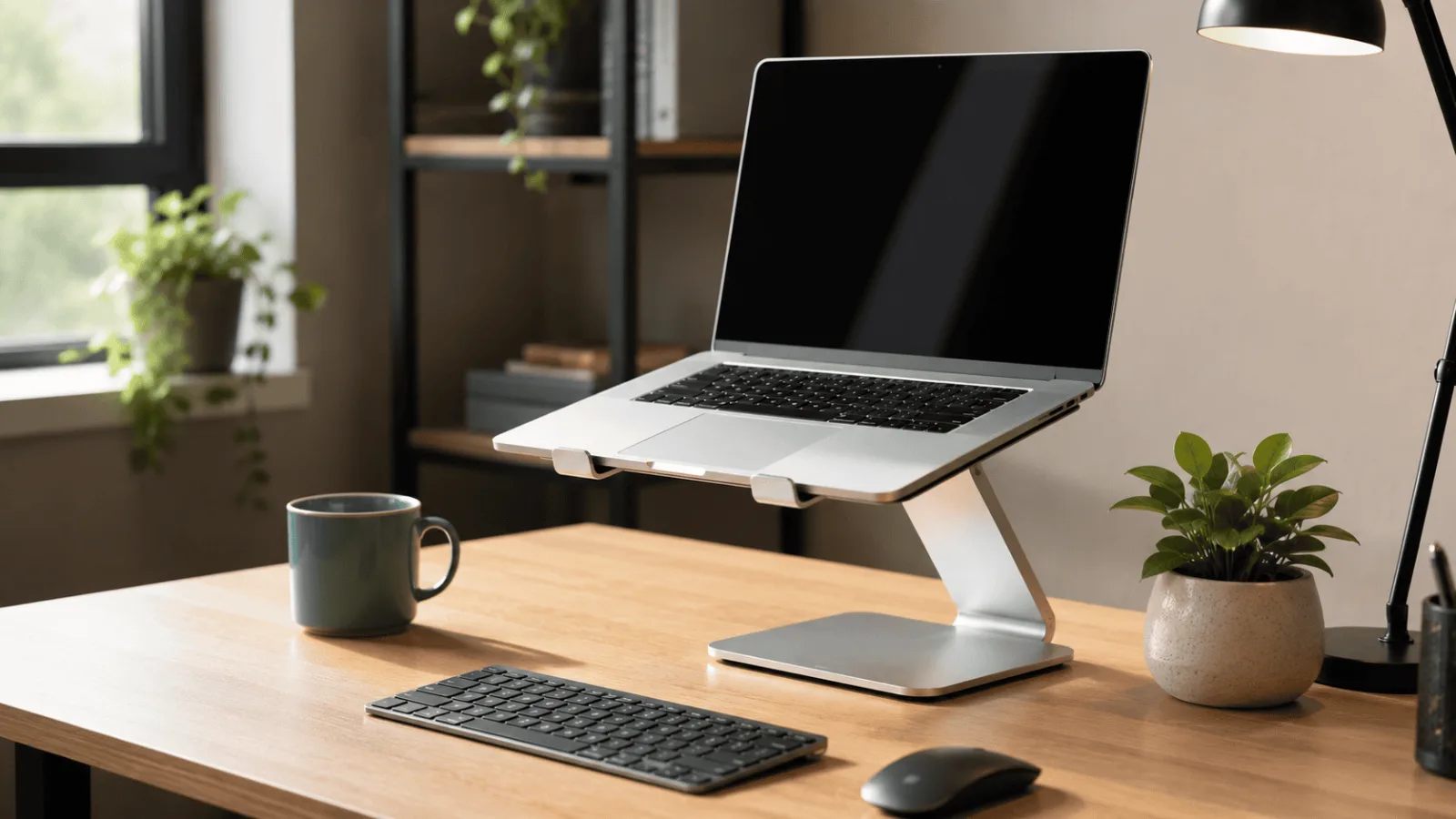
Picking the best travel laptop stand is harder than it sounds. Most are too heavy to bother packing, or so flimsy they wobble the moment you type. A travel laptop stand has to fold small and stay rigid after months in a bag. If you are building the rest of a portable kit, our best webcams for Zoom meetings roundup pairs well with these picks.
The Best Travel Laptop Stand: 5 Picks That Fit in Your Bag
Here is the thing about a travel laptop stand: the best one is the one you actually bring with you. I have gone through close to 500 owner reviews across portable stands and the same story keeps repeating — people buy something sturdy, realize it weighs two pounds and takes up half their bag, and leave it on their desk forever. That defeats the whole point.
If you split your week between home, a coworking space, and whatever coffee shop has the best Wi-Fi, you need a travel laptop stand that folds flat, weighs next to nothing, and still gives you a real ergonomic lift. Neck strain is neck strain whether you are at a hotel desk or your kitchen table.
These five picks were chosen specifically for that hybrid-and-travel use case. They are not the fanciest travel laptop stands on the market, but they are the ones that keep showing up in positive reviews from people who actually carry them around.
Roost V3 Laptop Stand
As a travel laptop stand, it weighs six ounces, folds to roughly the size of a pen case, and lifts a screen 6.5 to 12.5 inches across seven positions. Reviewers who carry a stand every week keep landing on this one because it is the only tier where the weight penalty effectively disappears from the bag.
Quick Comparison
| Stand | Best for | Weight | Folded | Adjustment | Get It |
|---|---|---|---|---|---|
| Roost V3 | Carrying it every day | 5.8 oz | 1.2″ × 1.3″ × 13″ | 7 heights, 6.5–12.5″ | Check → |
| MOFT Stand | Never packing it at all | 3 oz | 3 mm, sticks to the laptop | 2 angles, 15° / 25° | Check → |
| SODI Folding Stand | The smallest thing that still works | 6.5 oz | 5″ × 1.7″ × 0.8″ | Spring arm, eye-level in one move | Check → |
| Urmust Aluminum | Build over packability | 735 g | Folds to about 2″ thick | Fixed riser geometry | Check → |
| Lamicall Adjustable | Larger, heavier laptops | Aluminium, weighted base | Bulkier than the rest | Hinge, 10–17.3″ laptops | Check → |
The 5 Best Travel Laptop Stands for Hybrid Work
The Roost solves the problem that kills most travel laptop stands: you stop packing them. At six ounces and folded down to roughly one inch by one and a half by thirteen, it disappears into a bag in a way an aluminium riser never does. Glass-fibre reinforced nylon does the structural work instead of metal, which is where the weight saving comes from.
Seven positions give 6.5 to 12.5 inches of screen lift — enough to clear the OSHA target of the top of the screen at or slightly below eye level for most people, which no two-angle stand manages. Reviewers running 16 and 17-inch machines report no screen wobble, which is unusual at this weight.
The recurring note in reviews is the opening mechanism: people describe it as confusing for the first day, then obvious. You pull on the rubber base grips and it flips apart. Nobody who gets past that first week mentions it again.
- Genuinely disappears into a bag at six ounces
- Seven height positions rather than two fixed angles
- Rubber contact points hold the laptop without marking it
- Reviewers with 16–18 inch laptops report no screen wobble
- Sits at a premium tier for what is structurally a plastic stand
- The folding mechanism takes a few days to become automatic
- Like every riser, it only works if you also carry a keyboard
As a travel laptop stand, the MOFT sidesteps the packing problem entirely: it adheres to the underside of the laptop and stays there. Three millimetres thick, so the machine still slides into a sleeve without a bump, and three ounces that you are carrying anyway because it never leaves the laptop.
What you get is two angles, 15 and 25 degrees, and a load limit of 18 pounds. That is a lift measured in a couple of inches rather than the 6.5 to 12.5 a folding stand gives you. Reviewers are consistent that those two inches still change how the neck feels by late afternoon — but it is not the same product as a full riser.
The adhesive is the thing people ask about. The manufacturer rates it for around 100 reattachments, and reviewers months in report no residue on the laptop base. The complaint that does repeat is wobble at the steeper 25-degree setting under aggressive typing.
- Lies flat enough that the laptop still fits its sleeve
- Never has to be packed, so it never gets left behind
- Reviewers report no adhesive residue after months
- Works on 11 to 15.6 inch machines
- Two fixed angles, and a lift measured in inches not half-feet
- Noticeably wobbly at 25 degrees if you type hard
- Incompatible with laptops above 15.6 inches
- An adjustment learning curve in the first week
Among this group, this travel laptop stand is the one that breaks the usual trade-off. Folded it measures 5 by 1.7 by 0.8 inches — a shape closer to a chunky pen than a stand — and it weighs 6.5 ounces, which is half an ounce more than the Roost for a package roughly half the length. If the reason you keep leaving a stand at home is that it does not fit in the laptop sleeve pocket, this one does.
The mechanism is a spring-loaded arm rather than a set of notched positions. You pull it open and it holds where you stop, which is faster than stepping through fixed heights but gives you less certainty that today’s setup matches yesterday’s. Across roughly 1,760 reviews it holds a 4.8 average, and the praise is consistently about the packed size rather than the ergonomics — which tells you what people are actually buying it for.
The H-frame and silicone contact pads do the security work. Reviewers who mention stability talk about the silicone rather than the frame, which matches the pattern in this category: on a small stand, grip matters more than metal thickness.
- Packs smaller than anything else here that still lifts a screen properly
- Spring arm reaches eye level in one motion, no stepping through notches
- Silicone pads on every contact point, no scratching reported
- Aluminium build at the budget end of the category
- Stops at 15.6 inches — a 16 or 17 inch machine is out
- Spring positioning is less repeatable than fixed height settings
- Smaller footprint means less margin if you type hard
- Newer product, so the long-term durability record is thin
The Urmust is the honest counter-argument to anyone who thinks a travel laptop stand has to feel flimsy: solid aluminium alloy throughout, no plastic parts, and the rigidity that comes with it. Reviewers who type hard and dislike any flex under the palms consistently prefer this construction over reinforced nylon.
The cost is weight, and it is not marginal. At 735 grams it is more than four times the Roost, and it folds to about two inches thick rather than one. Reviewers describe it as noticeable in a bag — which is the polite way of saying it is the stand you take to a coworking space you drive to, not the one you fly with.
For a hybrid pattern where the stand lives at a second desk and moves occasionally rather than daily, the calculation flips: build quality you notice every day beats weight you notice twice a week.
- True all-aluminium construction with no plastic components
- Rigid under aggressive typing where nylon stands flex
- Folds flat rather than collapsing into a rod
- Heat dissipation from the metal body
- At 735 g it is the heaviest stand here by a wide margin
- Folds to about two inches thick, so it eats real bag space
- Fixed riser geometry rather than multiple height positions
- Reviewers describe the weight as noticeable in a daily carry
Folding travel laptop stands have a size ceiling, and a 17-inch workstation laptop sits above it. The Lamicall is the answer to that specific problem: an aluminium stand with a large weighted base that reviewers single out for holding big, heavy machines steady where lighter stands start to tip.
It supports 10 to 17.3 inch laptops, which is the widest range in this group. The base is also what makes it the least travel-friendly here — the weight that delivers the stability is the weight you carry.
The recurring complaint is the hinge: reviewers report it takes real force to change position. That is the flip side of a hinge that does not drift under a heavy laptop, but it means this is not a stand you casually adjust several times a day.
- Handles 17.3-inch laptops that folding stands cannot
- Weighted base keeps heavy machines from tipping
- Aluminium build with no flex under typing
- Widest laptop compatibility range in this group
- The hinge needs significant force to adjust
- Bulkier than every other stand here
- The stability comes directly from weight you have to carry
- Overkill for a 13-inch ultrabook
How to Choose a Travel Laptop Stand
Two independent sources back the core reason this category exists. OSHA’s computer workstation guidance puts the top of the screen at or slightly below eye level, and Mayo Clinic’s office ergonomics guide names a laptop stand with an external keyboard and mouse as the fix for the low screen height laptops force on you. Neither is selling anything, which is why I keep coming back to them.
Not every travel laptop stand is created equal, and the ones that look great on a product page often disappoint in a real-world bag. Here are the criteria I would weigh before buying a travel laptop stand.
1. Folded Dimensions (Not Just Weight)
For a travel laptop stand, weight matters but folded profile matters more. A travel laptop stand that folds to a truly flat shape — think playing card deck thickness — will actually make it into your bag every day. Anything chunkier tends to get left at home after the first few trips.
2. Material: Aluminum vs. Plastic
In a travel laptop stand, aluminum holds its shape and stays more stable under typing. Plastic stands can flex and creak after months of use, especially through frequent folding and unfolding. Based on review patterns, aluminum builds get significantly fewer long-term durability complaints than plastic equivalents at similar portability levels.
3. Angle Range
More angles is generally better on a travel laptop stand for hybrid work because you are not always at the same desk height. A travel laptop stand with only two or three angles can leave you stuck in a suboptimal position when the café counter is higher than your home desk. Six or more angles is what most regular travelers say they wish they had when they started with a basic stand.
4. Stability During Typing
This is the one that surprises people. A travel laptop stand can feel perfectly solid when you are just resting your hands on it, then wobble noticeably when you actually type. Look specifically at reviews that mention typing stability, not just “feels solid when placed on desk.”
5. Ventilation
If your laptop runs hot — or if you are in a warm climate — ventilation holes in the travel laptop stand surface make a real difference. Worth checking your specific machine’s thermal behavior before skipping this feature.
Pairing a good travel laptop stand with the right video call setup makes a big difference for hybrid workers. Our best webcams for Zoom meetings guide covers what to look for when your laptop camera is now at eye level — which changes the equation compared to laptop-on-a-flat-desk shooting angles.
Frequently Asked Questions
If you are building out a full hybrid work setup, it is worth thinking about your desk situation at home too. Our FlexiSpot E7 review covers one of the more popular sit-stand desks for home offices — useful context if you are thinking beyond just the travel side of your setup.
Roost V3 Laptop Stand
For a week split between home, a coworking desk and wherever else it lands, the Roost is the travel laptop stand that survives the packing decision — six ounces and a folded profile the size of a pen case, with seven height positions that actually get the screen to eye level rather than tilting it two inches.
The MOFT is the pick if you know you will never carry a separate stand, the SODI if you want the smallest thing that still works, and the Lamicall if your laptop is 16 inches or larger. But for most hybrid workers, the Roost is the one still in the bag six months later.
Quick Takeaways
- The best travel laptop stand is the one slim enough that you actually pack it — prioritize folded profile over everything else.
- Aluminum builds last longer and wobble less than plastic equivalents based on long-term review patterns.
- Six or more angle settings gives you real flexibility across different desk heights you will encounter on the road.
- Pair any elevated stand with a portable keyboard for a full ergonomic setup — the screen height improvement alone is not enough if your keyboard stays at eye level too.
- Nylon and thin-frame stands like the Roost and the SODI save weight; solid aluminium stands like the Urmust win on rigidity. That is the core trade in this category.
- Grip material matters more than height count: soft rubber contact points hold a laptop through a desk knock, hard rubber clips do not.