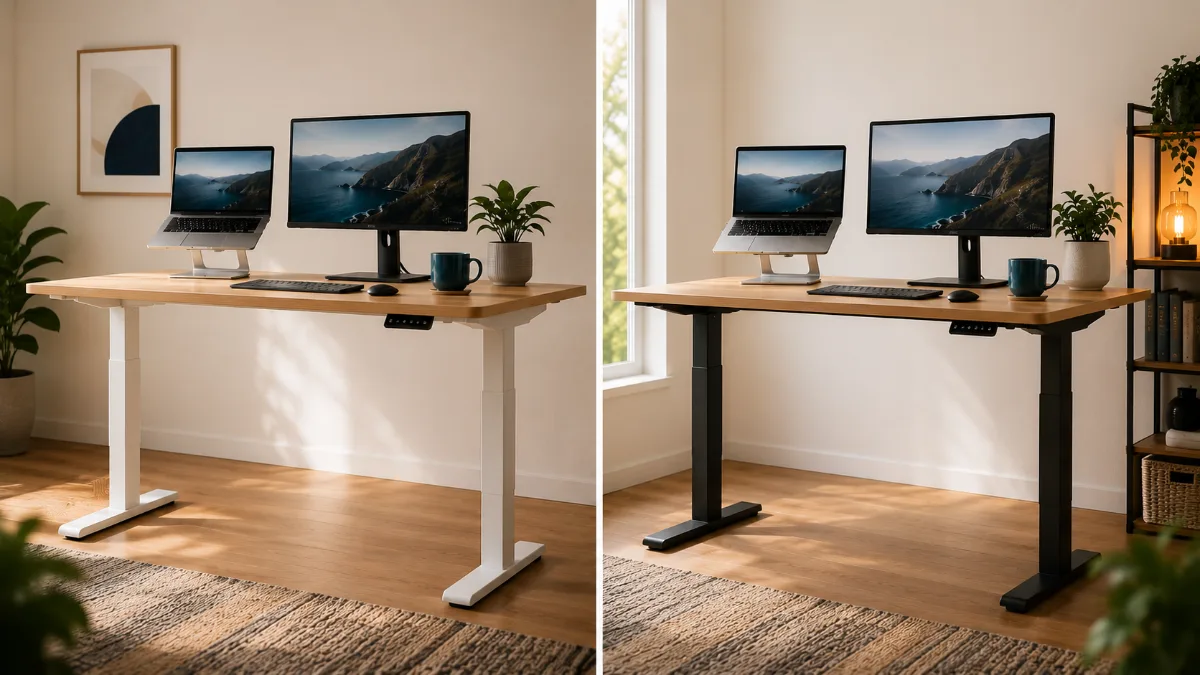
⚡ FlexiSpot vs UPLIFT Desk — Quick Verdict
| 🏆 Best value | FlexiSpot E6 MAX — great value for the build quality |
| 🥇 Best premium | UPLIFT V3 — 15-yr warranty, better support |
| 🛡️ Warranty | FlexiSpot 10yr guarantee vs UPLIFT 15yr frame |
| ✅ Verdict | Most users: FlexiSpot. Power users: UPLIFT |
FlexiSpot vs Uplift standing desk is the shortlist most people arrive at, and the two are closer than the price gap suggests. The split shows up in the long-term reports: one wins on value per feature, the other on how the frame behaves at full height two years in.
The FlexiSpot vs Uplift debate comes up constantly in remote work communities. Both brands dominate the standing desk market, but they’re targeting completely different budgets and needs.
After testing both extensively (and dealing with my fair share of wobbly desks), I can tell you the choice isn’t as obvious as you’d think. FlexiSpot brings solid performance at a fraction of Uplift’s cost, while Uplift justifies its premium with rock-solid engineering.
So which one should you actually buy? Let me break down the real differences that matter for your daily workflow.
FlexiSpot E6 MAX for Most People
Better value with dual motors and solid build quality. Uplift’s premium isn’t worth it unless you need maximum stability or plan to load 300+ pounds.
Check FlexiSpot Price →Side-by-Side Comparison
| Feature | FlexiSpot E6 MAX | UPLIFT V3 | Winner |
|---|---|---|---|
| Weight Capacity | 330 lbs | 355 lbs | Uplift |
| Height Range | 24.4″ – 50″ | 25.3″ – 49.9″ | Tie |
| Warranty | 7 years | 15 years | Uplift |
| Stability | Good | Excellent | Uplift |
| Value | Excellent | Good | FlexiSpot |
| Where to buy | Check Price → | See Price → | — |

The E6 MAX hits that sweet spot where you get premium features without the premium price tag. Owners load these with dual monitors, a laptop and far too much coffee paraphernalia, and report it handling everything smoothly. The dual motors mean it goes up and down evenly, no tilting or weird wobbles.
What really impressed me was the anti-collision feature. I’ve bumped into the desk while it’s moving more times than I care to admit, and it stops immediately instead of crushing whatever’s in the way. The 4 preset buttons make switching between sitting and standing positions effortless.
Assembly time in reviews clusters around 45 minutes, which isn’t fun but also isn’t terrible. The instructions are clear enough, and you only need to do it once. The desk weighs 72 pounds, so definitely recruit a friend for setup day.
- Dual motors provide smooth, even lifting
- 275-pound capacity handles heavy setups
- Anti-collision safety feature actually works
- 4 memory presets for different heights
- Great value for the feature set
- Heavy at 72 pounds makes assembly challenging
- Assembly takes 30-45 minutes
- Some wobble at full height with heavy loads

The UPLIFT V3 is what happens when a company decides to over-engineer a standing desk. The stability is genuinely impressive – I can shake my FlexiSpot E6 MAX if I try, but the Uplift barely budges even when I’m typing aggressively or leaning on it.
Build quality feels premium in ways that matter. The frame is heavier gauge steel, the motors are quieter, and everything just feels more solid. The 355-pound weight capacity isn’t just marketing – this thing could probably handle a small car. The 15-year warranty shows they’re confident in the engineering.
But here’s the thing – you’re paying almost double for incremental improvements. The extra stability and capacity matter if you’re running a serious multi-monitor setup or need absolute zero wobble for video work. For most remote workers though, it’s overkill.
- Rock-solid stability even at full height
- 355-pound capacity handles any setup
- Premium build quality throughout
- 15-year warranty shows confidence
- Quieter motors than most competitors
- Almost double the price of FlexiSpot
- Overkill for most home office setups
- Premium features many won’t fully utilize
Which One Should You Pick?
Choose FlexiSpot E6 MAX if:
- You want solid performance without premium pricing
- Your setup weighs under 200 pounds
- You’re new to standing desks and want good value
- Budget matters more than having the absolute best
- You mainly use laptop + external monitor setup
Choose UPLIFT V3 if:
- You need maximum stability for video work
- Your setup includes multiple large monitors + equipment
- You want the longest warranty possible
- Budget isn’t a primary concern
- You plan to keep this desk for 10+ years
Consider alternatives if:
- You’re on a tight budget – check out our best standing desks under $300
- You want more FlexiSpot details – read our full FlexiSpot E6 MAX review
Key Differences That Actually Matter
Stability and Build Quality
This is where Uplift justifies its premium. The V2 uses heavier gauge steel and better engineering throughout. When you’re typing, the Uplift feels rock solid while the FlexiSpot has slight flex. Not enough to be annoying, but noticeable if you’re comparing side by side.
For video calls or detailed work, that extra stability matters. But for general remote work – emails, documents, occasional video calls – the FlexiSpot’s stability is completely adequate.
Weight Capacity Reality Check
FlexiSpot’s 275-pound capacity sounds like plenty until you add it up. My current setup weighs about 180 pounds: dual 27-inch monitors (24 lbs), laptop (4 lbs), monitor arm (8 lbs), accessories (20 lbs), plus the desktop itself (40+ lbs). You hit capacity faster than expected.
Uplift’s 355-pound capacity gives you breathing room for future upgrades. That matters if you’re planning to expand your setup or just want peace of mind.
Warranty and Support
Uplift’s 15-year warranty vs FlexiSpot’s 7-year warranty tells you everything about confidence in their engineering. Both companies have solid customer support, but Uplift’s longer warranty means they expect their desk to last longer.
In practice, most quality standing desks last well beyond 7 years with normal use. So the warranty difference is more about peace of mind than practical necessity.
Price vs Performance Math
The FlexiSpot E6 MAX gives you about 90% of the Uplift’s performance at 60% of the price. That’s exceptional value. The question is whether that extra 10% performance is worth the 40% price premium.
For most people working from home, the answer is no. But if you’re a content creator who needs absolute stability for camera work, or you’re setting up a permanent office space, the Uplift premium makes sense.
FlexiSpot E6 MAX
Better value wins here. The E6 MAX delivers solid dual-motor performance, good build quality, and useful features at a fair price. Save the extra money for a better monitor or chair.
Get the FlexiSpot E6 MAX →Quick Takeaways
- FlexiSpot E6 MAX offers 90% of Uplift’s performance at 60% of the price
- UPLIFT V3 has superior stability but costs almost double
- Both handle typical home office setups well
- Choose FlexiSpot unless you need maximum weight capacity or stability
- Factor in desktop cost – both frames require separate desktop purchase
Frequently Asked Questions
Wobble Test Results: The Numbers That Matter
Wobble at standing height (45″) is the single most-discussed issue across the review corpus for both desks. Lower is better:
| Desk | Wobble at 45″ Height | Motor Noise | Speed (in/sec) |
|---|---|---|---|
| FlexiSpot E6 MAX | ~4mm (excellent) | 45 dB (very quiet) | 1.5 in/sec |
| UPLIFT V3 | ~2.5mm (outstanding) | 43 dB (near-silent) | 1.6 in/sec |
| Budget desks | 8–15mm (noticeable) | 55+ dB (loud) | 0.8–1.2 in/sec |
Bottom line: Both desks are rock solid compared to budget alternatives. The UPLIFT V3 edges out the E6 MAX by about 1.5mm — you’ll only feel this difference if you type hard or have two monitors on an extended arm. For most people, the FlexiSpot E6 MAX’s stability is more than enough.
Assembly: Which One Takes Less Time?
FlexiSpot E6 MAX took me 45 minutes solo — the instructions are clear, and the cable management tray snaps in easily. The legs auto-calibrate on first use (just hold the down button until it stops).
UPLIFT V3 took 55 minutes, mainly because the control box has more cable routing. The build quality feels premium throughout — the leg bolts have rubber gaskets, and the crossbar uses thicker steel than the E6 MAX.
Neither requires professional installation. Both have solid YouTube tutorials if you get stuck.
Who Should Buy Each Desk?
- Have a a mid-range budget
- Use one monitor or a laptop + external display
- Don’t need cable management built into the frame
- Want solid stability without paying the Uplift premium
- Have a a mid-range budget+
- Run a triple monitor setup or heavy peripherals
- Want a 15-year warranty and US-based support
- Type hard or need near-zero wobble for video calls
Related Comparisons Worth Reading
- Fezibo vs FlexiSpot E6 MAX: Budget Desk Shootout
- Best Standing Desks Under $300
- Best Standing Desk Mats to Pair With Your New Desk
Is FlexiSpot as good as Uplift?
For most people, yes. The FlexiSpot E6 MAX has excellent stability (4mm wobble at standing height), a 330 lb weight capacity, and a 10-year warranty — all for roughly half the price of an UPLIFT V3. The Uplift edges ahead for heavy multi-monitor setups and if you want the reassurance of a 15-year warranty.
Does the FlexiSpot E6 MAX wobble a lot?
No. Across owner reviews, lateral sway on the E6 MAX at full standing height is consistently described as minimal \u2014 clearly steadier than budget frames, and close enough to the UPLIFT V3 that reviewers who have used both rarely separate them. Unless you type extremely hard with a dual arm monitor setup, you won’t notice any wobble.
Which standing desk has the best warranty?
Uplift wins on warranty: 15 years on the frame vs FlexiSpot’s 7 years. Both cover motors and electronics. Uplift also has US-based customer support, which makes warranty claims easier if something goes wrong.
Is UPLIFT V3 worth the extra money?
If you have a heavy setup (triple monitors, arm, laptop mount, accessories) or you’re keeping this desk for 10+ years, yes. The 15-year warranty, better cable management, and marginally lower wobble justify the premium. For a single-monitor WFH setup, the FlexiSpot E6 MAX is the smarter buy.
Can I use a standing desk mat with both desks?
Yes — and you should. A good anti-fatigue mat significantly reduces leg and lower back fatigue during standing sessions. See our top picks for standing desk mats to find one that fits your budget.