The best ergonomic mouse for wrist pain is almost always the one that changes your forearm angle, not the one with the softest palm rest. Wrist pain at a desk usually comes from pronation — rotating your forearm flat to grip a conventional mouse — and no amount of padding fixes a rotation problem. If your chair and desk height are still wrong, fix those first: our chair height guide covers the checks.
The Best Ergonomic Mouse for Wrist Pain: 5 Picks That Change Your Forearm Angle
I went through tens of thousands of owner reviews on vertical and ergonomic mice, and the most useful thing in them is not the praise — it is the timeline. People who stick with a vertical mouse describe the same arc almost word for word: three to five awkward days, then relief, then they cannot go back.
People who return one almost always return it inside the first week. That is the single most actionable pattern in this entire category, and nobody puts it on the box: a vertical mouse feels wrong before it feels right, and most of the one-star reviews are written during the wrong part.
The other pattern when choosing the best ergonomic mouse for wrist pain is sizing. Vertical mice are far less forgiving of hand size than flat mice, and a mismatch shows up as a new ache in a new place rather than as relief. That is why two of the five below are the same shape in different sizes.
| Pick | Shape | Best hand size | Ratings | |
|---|---|---|---|---|
| Best overall Logitech MX Vertical | 57° vertical | Medium to large | 4.4 / 15,110 | Check Price on Amazon |
| Best smaller hands Logitech Lift | 57° vertical | Small to medium | 4.4 / 13,987 | See Current Price |
| Best budget vertical TECKNET | Vertical | Medium | 4.4 / 12,843 | View on Amazon |
| Most reviewed Lekvey | Vertical | Medium | 4.3 / 15,483 | Grab one on Amazon |
| Best non-vertical Logitech MX Master 4 | Sculpted, angled | Medium to large | 4.2 / 2,066 | See it on Amazon |
1. Logitech MX Vertical — Best Ergonomic Mouse for Wrist Pain Overall
Fifteen thousand ratings is an unusual amount of evidence for an ergonomic product, and it is the reason this sits at the top. At that volume you are not reading opinions any more, you are reading a dataset.
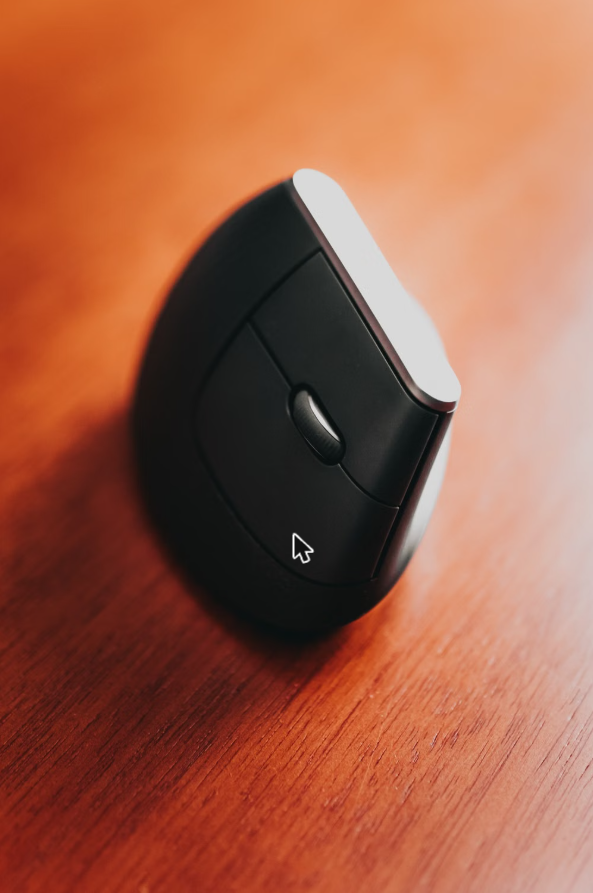
The 57-degree angle is the whole product. It puts your hand in roughly a handshake position, which means your forearm bones sit parallel instead of crossed. That crossing — pronation — is what a flat mouse forces on you for eight hours a day, and it is the mechanism behind most desk-related wrist complaints. Logitech’s 10% reduction in muscular activity is a manufacturer claim, but it is one they put ergonomist testing behind rather than marketing language.
The complaint that repeats is size. This is a big mouse, and reviewers with smaller hands describe stretching to reach the buttons, which creates a new strain rather than removing one. If your hand is on the smaller side, the Lift is literally the same geometry in a smaller shell and you should go there instead.
The other recurring note is the adjustment period. Reviews written in the first week are markedly harsher than reviews written in the first month. If you buy one, give it a fortnight before you judge it.
What keeps coming up: too large for smaller hands · awkward first week · precision work takes retraining
My take: if your hand is medium or larger and your wrist hurts, this is the one I would buy first. The evidence base behind it is better than anything else in the category.
2. Logitech Lift — Best for Small to Medium Hands
Same angle, smaller body. Logitech is explicit that this is built for small to medium right hands, and that honesty is unusual enough to be worth acting on — most ergonomic products pretend one size fits everyone.
The reviews bear it out. The complaints about reaching for buttons that fill the MX Vertical’s negative reviews largely vanish here, replaced by the opposite complaint from large-handed users whose palm hangs off the back. Between the two mice the sizing question is genuinely the whole decision.
Worth saying plainly: this is a right-handed shape. A left-handed version exists as a separate product, so if you mouse with your left hand, check the listing carefully before ordering rather than assuming.
What keeps coming up: too small for large hands · right-handed shape, left-hand version sold separately · same adjustment week as any vertical
My take: if you have ever found a normal mouse slightly too big, this is your pick rather than the MX Vertical. Same mechanism, right fit.
3. TECKNET Ergonomic Vertical Mouse — Best Budget Way to Test the Idea
Here is the practical problem with vertical mice: you cannot know whether the shape suits your hand until you have used one for a fortnight. Committing to a flagship to find that out is a lot to risk on a shape you may hate.
This is the mouse that solves that, and it does it at 4.4 stars across nearly thirteen thousand ratings, which is not a token budget option. Three-device switching is genuinely useful if you run a work laptop and a personal machine on the same desk — it is a feature usually reserved for the expensive tier.
Where it gives ground is in the sensor and the build. Reviewers doing precision work — design, CAD, detailed spreadsheets — report more cursor drift than they get from the Logitech sensors. For email, documents and browsers, that gap does not show up.
What keeps coming up: sensor is less precise than the Logitech models · plastics feel like what they cost · no left-handed option
My take: buy this first if you are unconvinced. If after a month your wrist is better and you want a nicer mouse, upgrade then — you will have learned which size fits.
4. Lekvey Vertical Mouse — The Most-Reviewed Vertical Mouse Here
More ratings than anything else in this roundup, and the listing itself says the quiet part out loud: most customers find it becomes comfortable after a three to five day adjustment. A manufacturer telling you the product will feel wrong at first is a strange kind of credibility, and it matches exactly what the reviews describe.
Being rechargeable rather than running on AA batteries is the practical difference from most budget verticals. The page back and forward buttons sound trivial until you spend a day in a browser or a document review tool, where they remove a lot of small movements.
The 4.3 average is the lowest of the verticals here, and the negative reviews split into two groups: people who judged it inside the first week, and people reporting a click switch failing over time. The second group is the one worth weighing.
What keeps coming up: occasional click switch failures over months · lowest average of the verticals · the usual adjustment week
My take: a reasonable alternative to the TECKNET if you want rechargeable. Between the two I would take the TECKNET for the multi-device switching, but this one has the longer track record.
5. Logitech MX Master 4 — Best If You Will Not Go Vertical
Some people try a vertical mouse and simply cannot get on with it. That is a legitimate outcome, not a failure of willpower, and this is the best answer for that case: a heavily sculpted mouse that reduces wrist extension without asking your forearm to rotate.
Be clear about what it does and does not fix. It is kinder than a flat mouse. It does not solve pronation, because your palm is still facing down. If your pain is specifically from rotation, a vertical mouse addresses the actual cause and this one manages the symptom.
The 4.2 average is the lowest here, and it is not about ergonomics. The reviews complaining are mostly about the new haptic panel and the software, not the shape — people who wanted the previous model without the extra features. The scroll wheel, on the other hand, is the single most praised component of any mouse in this roundup. If you move through long documents all day, it is genuinely a different experience.
What keeps coming up: does not address forearm rotation · haptics and software divide people · smallest review base here · heavy
My take: the right buy if you have tried vertical and bounced off it, or if your discomfort is mild and you want a better mouse rather than a different posture.
How to Choose an Ergonomic Mouse That Actually Helps
One caveat worth stating plainly: a mouse is a comfort product, not a treatment. The Mayo Clinic describes carpal tunnel symptoms as tingling or numbness in the thumb, index, middle and ring fingers, sometimes like an electric shock, and advises seeing a healthcare professional when symptoms interfere with your usual activities or your sleep. If that describes you, book the appointment first and buy the mouse second.
Work out whether your problem is rotation or extension
Two different pains get called wrist pain. Rotation pain comes from pronating your forearm to lay your palm flat, and it is felt through the forearm as much as the wrist — that is what a vertical mouse fixes. Extension pain comes from your wrist bending upward off the desk, often because the desk is too high, and the fix is desk height, a wrist rest, or an angled mouse. Buying for the wrong one is why people say ergonomic mice did not work for them.
Measure your hand before you buy
Vertical mice are unforgiving about size in a way flat mice are not. Measure from the base of your palm to the tip of your middle finger. Under about 7 inches, buy the smaller shell. Over about 7.5, buy the larger. A mouse that is the wrong size will create a new ache somewhere else and you will blame the concept.
Expect a bad first week
This is the most useful thing in the entire review corpus: almost everyone who ends up loving a vertical mouse hated it for three to five days. Accuracy drops, the hand feels unsteady, and clicking takes thought. Returning it on day three is the most common mistake in this category.
The mouse is one of three things
Wrist pain at a desk is usually desk height, chair height and mouse position together. If your elbows are below the desk surface you are reaching up all day and the best mouse in the world will not fix that. Our chair height guide and the full ergonomic setup guide cover the other two.
Frequently Asked Questions
Does a vertical mouse actually help carpal tunnel?
It addresses forearm pronation, which is one contributing factor, and relief is the most repeated theme in the owner reviews. It is not a medical treatment and nobody should treat it as one. Persistent numbness or tingling is a reason to see a doctor, not to buy a mouse.
How long before a vertical mouse feels normal?
Three to five days for the awkwardness to fade, around two weeks before speed is back to where it was. The reviews are remarkably consistent on this.
Is an expensive ergonomic mouse worth it over a cheap one?
The shape does the ergonomic work, and a budget vertical gets you the same angle. What you pay more for is sensor precision, build quality and software. If you are testing the idea, start cheap; if you have confirmed vertical works for you and you use a mouse all day, the upgrade is easy to justify.
What about a trackball instead?
A trackball removes arm movement entirely, which helps shoulder and elbow strain more than wrist rotation. It is a bigger adjustment than a vertical mouse and a smaller fit for most people, which is why it is not in this list.
Do I need a wrist rest too?
With a vertical mouse, usually not — your hand is already in a neutral position and a rest can push the wrist into the extension you were trying to avoid. With a sculpted mouse like the MX Master, a low rest can help.
Final verdict
Medium or large hands and real wrist pain: buy the Logitech MX Vertical. Smaller hands: the Logitech Lift is the same geometry in the right shell. Not sure the shape suits you at all: start with the TECKNET, give it two weeks, and upgrade once you know. Whichever you pick, do not judge it on day three.
Choosing the best ergonomic mouse for wrist pain comes down to two things: working out whether your pain is rotation or extension, and buying the shell that fits your hand. Get both right and an ergonomic mouse for wrist pain stops being a gadget and starts being the reason your forearm is quiet by Friday afternoon. The other half of the fix is posture — our ergonomic home office setup guide covers it.