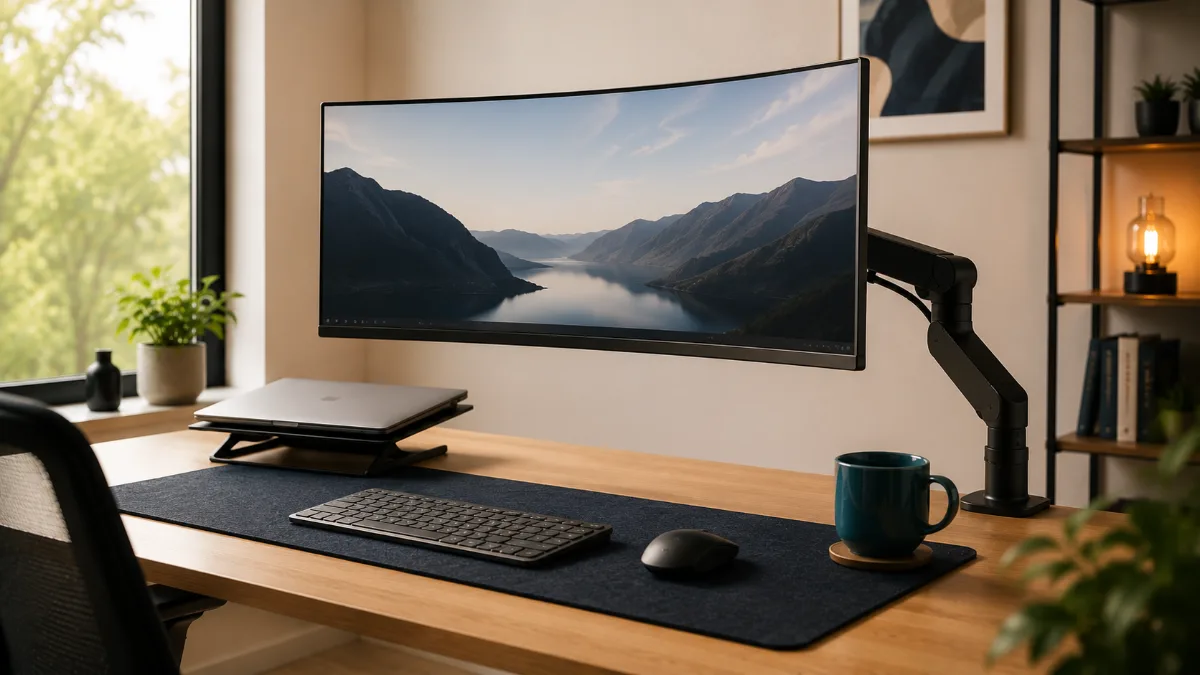
⚡ Best Monitor Arms for Ultrawide — Quick Verdict
| 🏆 Best overall | Ergotron LX — holds up to 25lbs, smooth gas |
| 💪 Best heavy-duty | Mount-It! heavy arm — up to 33lbs |
| 💰 Best budget arm | Huanuo single arm — solid budget option |
| 🖥️ Best for 34″+ curved | Ergotron LX — rated for ultrawide width |
| ⚠️ Key spec to check | Max weight & VESA compatibility |
Ultrawide panels are heavy and off-centre in a way that ordinary arms were never designed for. The best monitor arm for ultrawide screens has to hold a wide, front-loaded display level all day without creeping downward — which is exactly where the cheap arms fail.
So you finally got that gorgeous ultrawide monitor, but now it’s taking up half your desk and your neck feels like you’ve been staring down a giraffe. I get it — I went through the same thing when I upgraded to my 34-inch curved beast.
The thing is, most regular monitor arms just can’t handle the weight and width of ultrawides. You need something specifically designed for these monsters, or you’ll end up with a wobbly mess that makes you question every life choice.
After testing a bunch of ultrawide monitor arms over the past few months, I’ve found the ones that actually work without breaking your bank or your back.
VIVO Heavy Duty Monitor Arm
Handles up to 49-inch ultrawides with rock-solid stability. The gas spring adjustment is butter smooth and it clamps to desks up to 4 inches thick.
| Monitor Arm | Best For | Max Screen Size | Weight Capacity | Get It |
|---|---|---|---|---|
| VIVO Heavy Duty | Most ultrawides | 49 inches | 33 lbs | Check → |
| HUANUO Single Arm | Budget pick | 35 inches | 26.4 lbs | Check → |
| AmazonBasics Premium | Simple setup | 32 inches | 25 lbs | Check → |
| WALI Articulating | Full motion | 35 inches | 22 lbs | Check → |
| Mount-It! Heavy Duty | Large ultrawides | 43 inches | 44 lbs | Check → |
| Ergotron LX | Premium option | 34 inches | 25 lbs | Check → |
This thing is built like a tank but moves like silk. Owners with 34-inch ultrawides report it never budging an inch. The gas spring mechanism lets you adjust height with just a finger touch, which is perfect when you’re switching between sitting and standing throughout the day.
The build quality is what really impressed me. The arm feels substantial without being clunky, and all the joints move smoothly without any wobble. Installation took about 15 minutes with the C-clamp, though you can also use the grommet mount if your desk has a cable management hole.
Cable management is thoughtful too — there’s a built-in cable channel that keeps your setup looking clean. The articulating joints give you tons of positioning options, so you can get that perfect ergonomic angle whether you’re coding, gaming, or binge-watching Netflix.
- Handles even 49-inch monsters without sagging
- Gas spring adjustment is incredibly smooth
- Solid build quality with minimal wobble
- Clean cable management system
- Works with thick desks up to 4 inches
- Takes up more desk depth than some arms
- Heavier monitors need more initial adjustment
Don’t let the budget price fool you — this arm punches way above its weight class. Owners running 32-inch ultrawides report it handling them easily. The spring-loaded height adjustment isn’t quite as smooth as gas springs, but it gets the job done for around the mid-range bracket.
Setup was straightforward with clear instructions and all the hardware you need. The C-clamp grips desks up to 2.75 inches thick, which covers most home office setups. The arm extends out about 20 inches from the clamp, giving you plenty of positioning flexibility.
Where it saves money is in the finish quality and some of the finer details. The black coating is decent but not as premium-feeling as pricier options. But here’s the thing — once it’s installed and holding your monitor, you rarely notice those details anyway.
- Great value for money
- Handles most ultrawide monitors fine
- Easy installation process
- Decent range of motion
- Comes with both C-clamp and grommet options
- Spring adjustment takes more effort than gas
- Finish quality is just okay
- Not suitable for the largest ultrawides
Sometimes you just want something that works without any fuss, and that’s exactly what Amazon delivers here. This arm is basically the Honda Civic of monitor arms — not flashy, but reliable as sunrise. The installation process is probably the smoothest I’ve experienced.
The gas spring system works great for height adjustments, and the tilt/swivel functions are smooth enough for daily use. It’s not going to win any design awards, but the matte black finish looks professional and doesn’t collect fingerprints like glossier options.
What really sets this apart is Amazon’s customer service backing. If something goes wrong, you’re dealing with Amazon directly, not some third-party seller. That peace of mind is worth something, especially for a piece of equipment holding your expensive monitor.
- Super easy installation process
- Amazon’s excellent return policy
- Gas spring height adjustment
- Clean, professional appearance
- Solid build quality for the price
- Limited to smaller ultrawides (32″ max)
- Not as heavy-duty as dedicated options
- Basic cable management
If you’re picky about monitor positioning, this arm is your best friend. It has more joints and adjustment points than a yoga instructor, letting you get your ultrawide positioned exactly where you want it. The arm extends up to 25 inches from the mount and can swing left or right about 180 degrees.
The build feels solid despite the lower weight capacity. All the joints move smoothly but hold their position once set. I particularly like how easy it is to pull the monitor closer for detailed work, then push it back when I need more desk space.
One thing to note — with all that adjustability comes more complexity. There are more screws to potentially loosen over time, and finding the perfect balance point for heavier monitors takes some patience. But once you’ve got it dialed in, it’s fantastic.
- Incredible range of motion and positioning
- Smooth joint operation
- Great for shared workspaces
- Easy to pull monitor closer or push away
- Solid value for the flexibility offered
- Lower weight capacity than some options
- More joints mean more potential failure points
- Can look busy with all the adjustment points
When you’ve got a massive 38-inch or larger ultrawide, this is the arm that won’t let you down. The 44-pound weight capacity means it can handle even the chunkiest gaming monitors without breaking a sweat. The base and joints are noticeably beefier than standard arms.
The gas spring system is calibrated for heavier loads, so it actually works better with big monitors than lighter ones. If you’ve got a standard 27-inch screen, it might feel a bit sluggish, but with a proper ultrawide, the adjustment is perfect.
Installation requires a bit more muscle since everything is built heavier, but that translates to rock-solid stability once mounted. The C-clamp opens up to 4.7 inches, so it’ll work with even thick gaming desks.
- Handles the largest ultrawide monitors available
- Extremely stable with no sag or wobble
- Gas spring calibrated for heavy monitors
- Premium build quality throughout
- Works with very thick desk surfaces
- Overkill for smaller ultrawides
- More expensive than basic options
- Heavier installation process
Ergotron basically invented the modern monitor arm, and it shows in every detail of this thing. The build quality is absolutely premium — think Apple-level fit and finish but for monitor accessories. The patented Constant Force technology means your monitor stays exactly where you put it without drifting.
The aluminum construction feels substantial without being heavy, and all the adjustment points move with surgical precision. Cable management is integrated beautifully, and the whole thing just oozes quality. You’re definitely paying for that premium experience though.
What really sets Ergotron apart is the long-term reliability. While cheaper arms might develop play in the joints after a year or two, this thing maintains its precision indefinitely. It’s an investment, but one that’ll outlast multiple monitor upgrades.
- Absolutely premium build quality and materials
- Patented Constant Force stays perfectly positioned
- Beautiful integrated cable management
- Will last through multiple monitor upgrades
- Smooth, precise adjustments
- Premium price to match premium quality
- Limited to smaller ultrawides
- Might be overkill for casual users
What to Look For in an Ultrawide Monitor Arm
Weight Capacity Matters More Than You Think
Most ultrawide monitors weigh between 15-30 pounds, but you need an arm that can handle significantly more than your monitor’s actual weight. The extra capacity ensures stability and prevents sagging over time. I recommend arms with at least 25-30 pound capacity for most ultrawides.
VESA Mount Compatibility
Check your monitor’s VESA mounting pattern before buying any arm. Most ultrawides use 100x100mm or 200x100mm patterns, but larger models might use 400x200mm. All the arms I’ve recommended include adapters for common VESA sizes.
Desk Thickness and Clamp Style
Measure your desk thickness before ordering. Most arms work with desks up to 2-3 inches thick, but gaming desks and solid wood surfaces might be thicker. C-clamps are more versatile, while grommet mounts look cleaner but require drilling a hole.
Range of Motion
Think about how you’ll actually use your monitor. Do you need to frequently adjust height when switching between sitting and standing? Will you be sharing the workspace with others who prefer different angles? More articulation points mean more flexibility but also more complexity.
Cable Management
A good monitor arm should help organize your cables, not create a bigger mess. Look for arms with integrated cable channels or clips to keep your setup looking clean.
VIVO Heavy Duty Single Monitor Arm
After testing all these options, the VIVO Heavy Duty consistently delivers the best combination of stability, adjustability, and value. It handles everything from 32-inch curves to massive 49-inch gaming monitors without breaking a sweat, and the gas spring adjustment makes positioning effortless.
Quick Takeaways
- Don’t use regular monitor arms for ultrawides — they need specialized support for the weight and size
- Budget around the mid-range bracket for a decent arm, or a bit more for premium options that’ll last decades
- Gas spring adjustment is worth the small upcharge over manual systems
- Check your monitor’s weight and VESA pattern before ordering any arm
- Consider your desk thickness and whether you prefer C-clamp or grommet mounting
- More articulation points mean more flexibility but also more complexity
Frequently Asked Questions
Do I need a monitor arm or is a stand good enough?
A stand is good enough if your monitor is already at eye level and you don’t need to reposition it. A monitor arm is worth buying when: you want to free up desk space (arm mounts behind the desk edge), you use a sit-stand desk and need to reposition the screen between heights, or you want to share a monitor between two seating positions.
What monitor arm is best for ultrawide monitors?
Ultrawide monitors (34″+ curved) need an arm rated for 15–25lbs with a VESA 100×100 pattern. The Ergotron LX and Huanuo dual-arm models are the most popular for ultrawide. Always verify the arm’s weight capacity exceeds your monitor’s weight by at least 20% — heavy monitors cause cheaper arms to drift downward over time.
Can I attach a monitor arm to a glass desk?
Standard C-clamp monitor arms can damage glass desktops. Use a grommet-mount arm (requires a hole in the desk) or a freestanding monitor arm base instead. Alternatively, a wide C-clamp with a rubberised pad can work on thick glass (10mm+) if the clamp pressure is minimal. Most glass desk manufacturers advise against C-clamp mounts.
How much weight can a monitor arm hold?
Entry-level arms (VIVO, Huanuo) hold 4.4–17.6lbs. Mid-range arms (Ergotron LX) hold up to 25lbs. Heavy-duty arms (Ergotron HX, Mount-It heavy) hold 20–42lbs. Measure your monitor’s weight (listed in specs as “without stand”) before buying. Ultrawide and large 4K monitors often weigh 15–22lbs.
Best Docking Stations for Dual Monitors · Laptop Stand vs Monitor Arm · Best Laptop Stands · Best USB-C Docking Stations · Best Monitor Risers
VIVO Dual Monitor Arm is the pick most readers here land on. Stock and deals shift often, so it is worth checking what it is going for right now.