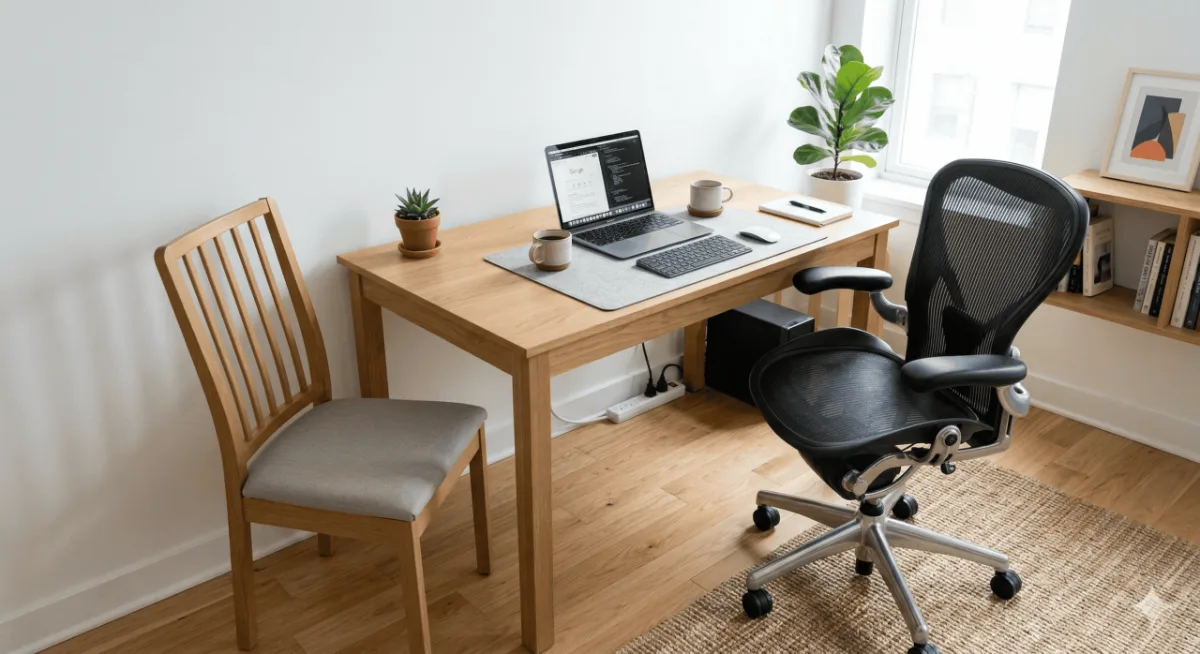
Do you actually need an ergonomic chair, or is it the upsell everyone assumes it is? There is one number that answers it, and it is not your budget or your back — it is how many hours a day you are actually in the seat. Count that first, then decide.
⚡ Do I Need an Ergonomic Chair? — Quick Answer
| ⏱️ If you sit 3+ hrs/day | Yes — non-negotiable for back health |
| 💰 Minimum budget | A realistic minimum for meaningful ergonomic benefit |
| 🪑 Most important feature | Adjustable lumbar height + depth |
| 🔄 Alternative first step | Lumbar cushion + correct chair height |
| ✅ ROI | Pays off in reduced pain within weeks |
Do I need an ergonomic chair? If you work from home 3+ days
a week and sit more than 5 hours a day, the short answer is
yes — and your back probably already knows it. I spent six
months on a dining chair before switching, and the difference
was night and day. This guide breaks down exactly who needs
an ergonomic chair, who can skip it, and what to buy at
every budget.
Most hybrid workers in the mid-range bracket: Hbada Ergonomic Chair — mesh back, adjustable lumbar, flip-up arms. The most-reviewed option in its bracket with consistent 4+ star ratings across 20,000+ reviews. If you sit 5+ hours a day at home, this is the practical starting point.
Check Price on Amazon →Do You Actually Need an Ergonomic Chair? Count Your Hours First
I spent the first six months of hybrid work on a budget IKEA dining chair. Looked fine, felt fine — for the first two hours. By month three, I was waking up with lower back stiffness that didn’t go away until lunch. By month five it is usually a shoulder — a weird tightness every morning that people blame on the mattress, on posture, on age. In the reviews it turns out to be the chair more often than not.
But here’s the thing — not every hybrid worker actually needs an ergonomic chair. I know that sounds weird coming from a site that reviews office gear, but it’s true. The answer depends on one number that most people never bother to calculate.

The One Number That Decides Everything
How many hours per day do you actually sit at your desk?
Not “how many hours do you work” — that’s different. I mean butt-in-chair, staring-at-screen hours. Because if you’re hybrid and only WFH two days a week, and you spend half that time in meetings walking around your kitchen with AirPods in, your actual seated time might be way less than you think.
I tracked mine for a week using a simple phone timer. The result surprised me: on WFH days, I was sitting about 6.5 hours. On office days, closer to 7 (because, well, there’s nowhere else to go). That’s a lot of spine pressure on a flat wooden seat with zero lumbar support.
Here’s my mental model for this: your chair isn’t a performance upgrade — it’s damage control per hour. The more hours you sit, the more damage compounds. And cheap chairs don’t spread that load well. They just pass it straight to your lower back.
Already know you need one? Skip to our tested picks:
Best Ergonomic Chairs Under $200 →What Happens Without One
The tricky part about bad seating? It doesn’t hurt on day one. Or week one. It’s more of a slow build that sneaks up on you over months.
I talked to a few friends who also went hybrid around the same time I did. Same story, almost word for word: they were fine for a while, then gradually started noticing stiffness, then soreness, then it became this background noise they just lived with. One of them told me she thought “that’s just what getting older feels like.” She’s 31.
The common pattern I noticed: neck tightness from looking down at a laptop on a table that’s too high (or too low), lower back ache from chairs with zero lumbar curve, shoulder tension from armrests that are either missing or at the wrong height, and hip tightness from seat pans that are too hard or too short.
None of these things are dramatic. They won’t send you to the ER. But they add up — and once they settle in, they’re annoying to undo.

When You DON’T Need One
Real talk — there are legit situations where spending that much–400 on an ergonomic chair doesn’t make sense:
You WFH less than one day a week. If you’re mostly in the office and your employer already gives you a decent chair there, your home setup just needs to survive the occasional Friday. A cushion on your dining chair is fine.
You already use a standing desk most of the day. If you’re standing 60%+ of your work hours and only sit for short breaks, your sitting posture is less of a concern. A basic task chair works for 1-2 hour intervals. (Not sure about standing desks? See our top picks under $300.)
You move around constantly. Some jobs — even desk jobs — involve a lot of moving between rooms, whiteboard sessions, phone calls while pacing. If your actual seated time is under 3 hours, the chair matters way less than your shoes.
You literally don’t have the space. If you work from a studio apartment and your “office” is also your dining table, a bulky ergonomic chair might create more problems than it solves. Look into an ergonomic seat cushion instead — they vary in price and make a real difference on hard chairs.
Hbada Ergonomic Chair The compact starting point if the hours add up →When You Definitely Need One
And then there are the cases where skipping it is just borrowing pain from your future self:
You sit 5+ hours daily, 3+ days a week at home. This is the threshold where accumulated strain starts to matter. Your spine doesn’t care if you’re “just answering emails” — it’s still bearing load in a bad position.
You already have back or neck pain. If it’s already started, a chair upgrade isn’t a luxury — it’s triage. Stretching, yoga and new pillows come up constantly in these threads. The chair swap is what people report actually made the difference, usually within a couple of weeks.
You do focused deep work for long stretches. Writers, developers, designers, analysts — anyone who gets into flow state and looks up to realize three hours disappeared. You’re not going to set a 20-minute movement timer during a flow session. Be realistic. The chair needs to protect you when you forget to protect yourself.
You spend 3+ hours on video calls daily. This sounds random, but hear me out. During video calls, you tend to sit more rigidly — leaning forward, staying centered in frame. That’s worse than casual sitting because you’re tense AND still. If that’s you, a chair with good lumbar and a headrest is almost mandatory.
Quick Decision: Do You Need an Ergonomic Chair?
- ✅ Sit 5+ hours/day, 3+ days/week at home → Yes, get one
- ✅ Already have back/neck/shoulder pain → Get one now
- ✅ Lots of video calls + deep focus sessions → Strong yes
- ❌ WFH once a week or less → Skip, use a cushion
- ❌ Standing desk user, sit <2 hrs/day → Basic task chair is fine
- ❌ No room for a proper chair → Ergonomic cushion + screen riser
Landed on “yes”? Here’s where to start:
See Our Top Picks Under $200 →
Free Fixes to Try Before Buying
Before you spend anything, try these. They sound basic but I’m amazed how many people skip them:
Roll up a towel behind your lower back. This is the poor man’s lumbar support and it actually works surprisingly well. Place it right at your belt line, not in the middle of your back.
Raise your screen to eye level. Stack some books under your laptop or get a budget laptop stand. Half the “chair problems” people complain about are actually “looking down for 6 hours” problems. Your chair can’t fix your neck if your screen is 8 inches too low. (We have a full roundup of laptop stands if you want something more solid.)
Set a 30-minute movement alarm. Just stand up and stretch for 20 seconds. Cornell University’s ergonomics research suggests 20 seconds of movement every 20 minutes is enough to offset most strain from sitting. Even the best chair can’t undo 8 hours of zero movement.
Check your desk height. Your elbows should be at roughly 90 degrees when typing. If you’re reaching up or hunching down, the chair is fighting an unwinnable battle. Sometimes the problem isn’t the chair — it’s the desk.
If you try all four of these for a week and still feel uncomfortable, that’s your body telling you it’s chair time.

What to Buy at Every Budget
On the tightest budget \u2014 don’t buy a chair. Get a memory foam seat cushion and a lumbar pillow. Combined with the free fixes above, this gets you surprisingly far for about a month of coffee money.
Best Seat Cushions for Home Office Top picks from the mid-range bracket, pulled from owner reviews →the mid-range bracket — the sweet spot for most hybrid workers. You can get a solid mesh chair with adjustable height, basic lumbar support, and decent armrests. This tier won’t last 10 years, but 2-3 solid years of comfort is realistic. This is the tier I’d point most people to when they’re starting out.
Our #1 Pick: Hbada Ergonomic Chair Mesh back, adjustable lumbar, flip-up arms. Best value in the budget tier for hybrid workers. Check Price →the mid-range bracket — real adjustability kicks in. Seat depth, 3D/4D armrests, proper recline mechanisms, headrests. If you sit 6+ hours daily and plan to WFH for the foreseeable future, this tier makes the most sense long-term.
Best Ergonomic Chairs the mid-range bracket Premium picks for serious hybrid workers — tested 30+ days each →Premium — Herman Miller, Steelcase territory. Genuinely great chairs with 12-year warranties. But unless you sit 8+ hours daily or have a specific medical need, the premium isn’t justified for most hybrid workers. I’d rather spend that much on a chair and the rest on a proper standing desk.
FlexiSpot E6 MAX Standing Desk The other half of the combo — alternate sitting and standing →The Combo That Actually Works Best

After 14 months of testing, here’s what I’ve landed on: the best setup for hybrid workers isn’t just a great chair. It’s a decent ergonomic chair (the mid-range bracket range) PLUS a way to alternate between sitting and standing.
You don’t need a fancy motorized standing desk for this. A budget laptop riser on your kitchen counter works. The point is breaking up seated time, not spending that much on furniture.
That said, if you want an actual standing desk setup, the FlexiSpot E6 MAX is what I use and it’s been solid. The combo of a good chair plus standing desk has been the single biggest quality-of-life upgrade in my home office — bigger than the monitor, keyboard, or any other gadget.
FlexiSpot E6 MAX Standing Desk Our top-rated standing desk. Dual motor, 275 lb capacity, solid at every height. Read Review →If you sit 5+ hours a day working from home, an ergonomic chair is worth it. The question isn’t whether — it’s which tier makes sense for your situation.
Budget tier:<\/strong> Hbada Ergonomic Chair — mesh, adjustable lumbar, good enough for most people for 2–3 years of daily use.
Want a deeper comparison? See our full guide: Best Ergonomic Chairs Under $200 — five options compared across build, comfort, and long-term durability.
FAQ
Quick Takeaways
- Track your actual seated hours — not “work hours.” If it’s under 3 hours daily, you probably don’t need an ergonomic chair.
- At 5+ hours of daily sitting, 3+ days a week, a proper chair stops being optional — it’s damage control for your spine.
- Try free fixes first: rolled towel for lumbar, screen at eye level, 30-min movement breaks, correct desk height.
- the mid-range bracket covers most hybrid workers. You don’t need a budget chair unless you sit 8+ hours daily.
- Best setup = decent ergonomic chair + standing desk or laptop riser for alternating positions throughout the day.
Ready to pick your chair? Start here:
Best Ergonomic Chairs Under $200 →Still not sure if you need an ergonomic chair? Check out our
best ergonomic chairs under $200 roundup for the top picks. If you’re on a tighter budget, our home office
budget setup guide covers smart alternatives. And if back pain
is already an issue, read our standing desk reviews — combining
a standing desk with a good ergonomic chair is the best combo
for hybrid workers.
Frequently Asked Questions
Do I really need an ergonomic chair, or is any chair okay?
If you sit for more than 3 hours per day at a desk, a purpose-designed ergonomic chair reduces musculoskeletal strain significantly compared to a standard dining chair or basic office chair. Studies show non-ergonomic seating in desk workers correlates with higher rates of lower back pain, neck strain, and wrist problems. The investment pays off within months in reduced discomfort.
Can I make a regular chair more ergonomic?
Yes — with add-ons: a lumbar support cushion improves lower back positioning; a seat cushion reduces pressure and corrects forward tilt; a footrest helps shorter users whose feet don’t reach the floor. These add-ons improve a basic chair but don’t replicate the adjustability of a purpose-built ergonomic chair, especially for full-day use.
At what budget does an ergonomic chair become worth it?
That is the minimum for a chair with meaningful ergonomic features (adjustable lumbar, seat depth, and 4D armrests). Below that tier, you’re mostly getting marketing claims rather than functional ergonomics. at its usual price (HON Ignition 2.0, Sihoo M57), build quality and adjustability improve significantly. At the top of the market (Herman Miller, Steelcase), you’re paying for proven longevity and clinically-validated design.
How do I know if my current chair is causing back pain?
Signs your chair is contributing to back pain: pain appears after 30–60 minutes of sitting but improves when you stand; pain is worse at the end of the workday and better after a night of sleep; you unconsciously slump or lean forward to relieve pressure; your knees are higher than your hips when sitting (seat too low). If several of these apply, your chair is a likely contributor.
Best Ergonomic Chairs Under $200 · Best Ergonomic Chairs Under $300 · Best Chairs for Long Hours · Chairs for Lower Back Pain · Full Ergonomic Setup Guide
Hbada Ergonomic Chair is the pick most readers here land on. Stock and deals shift often, so it is worth checking what it is going for right now.
See Current Price →