The best monitor light bar fixes a problem most people have never named: a bright screen in a dim room, with your eyes constantly re-adjusting between the two. A desk lamp solves it and adds glare on the screen. That is the whole reason this category exists, and the best monitor light bar for your desk depends almost entirely on how much automation you want to pay for. Here are three, one per price step.
Quick pick: the best monitor light bar for most desks
The Quntis Monitor Light Bar. Around 13,855 ratings — ten times either BenQ — and the pattern across them is boringly consistent: good light, no glare, worth the money. Unless you specifically want the automation, this is where the sensible money goes.
Check Price on Amazon →Quick comparison
| Light bar | Tier | Stand-out feature | Review base | Get it |
|---|---|---|---|---|
| Quntis Monitor Light Bar | Entry — best overall | Flicker-free, certified low blue light | ~13,855 ratings, 4.6★ | Check |
| BenQ ScreenBar Halo 2 | Mid | Ambient backlight + wireless remote | ~1,292 ratings, 4.7★ | Check |
| BenQ ScreenBar Pro | Premium | Motion sensor, 1000lx, ultrawide spread | ~1,293 ratings, 4.8★ | Check |
Review counts read off the live Amazon listings in October 2026.
What a light bar actually does
It clamps to the top of your monitor and throws light down onto the desk at an angle sharp enough that none of it bounces back into the screen. That angle is the trick. A normal desk lamp lights the desk and the screen, and the screen reflection is exactly what makes your eyes tired. A light bar lights the keyboard, the notebook and your hands, and leaves the screen alone. It also takes up no desk space, which on a small desk is half the reason to buy one.
The 3 best monitor light bars, one per price tier
Around 13,855 ratings is an unusual number in a niche category, and it changes how much you can trust the feedback. Owners describe lighting quality as excellent, with adjustable brightness and colour temperature that actually work, and — the line that matters — it illuminates the whole desk without being overpowering. Several specifically call it well worth the money.
On the spec side it is certified to IEC/TR 62778 and IEC/EN 62471 for blue light hazard and runs flicker-free. Those are the two things that make a cheap LED unpleasant over an eight-hour day, so seeing real certifications rather than marketing language at this price is the reason it stays the default recommendation.
- Lights the whole desk without being harsh
- Brightness and colour temperature both genuinely adjustable
- Certified flicker-free and low blue light hazard
- Easily the deepest review base in the category
- Mounting and stability split opinion — the clamp suits some monitors better than others
- Manual control only, no auto-brightness
- No ambient backlight behind the screen
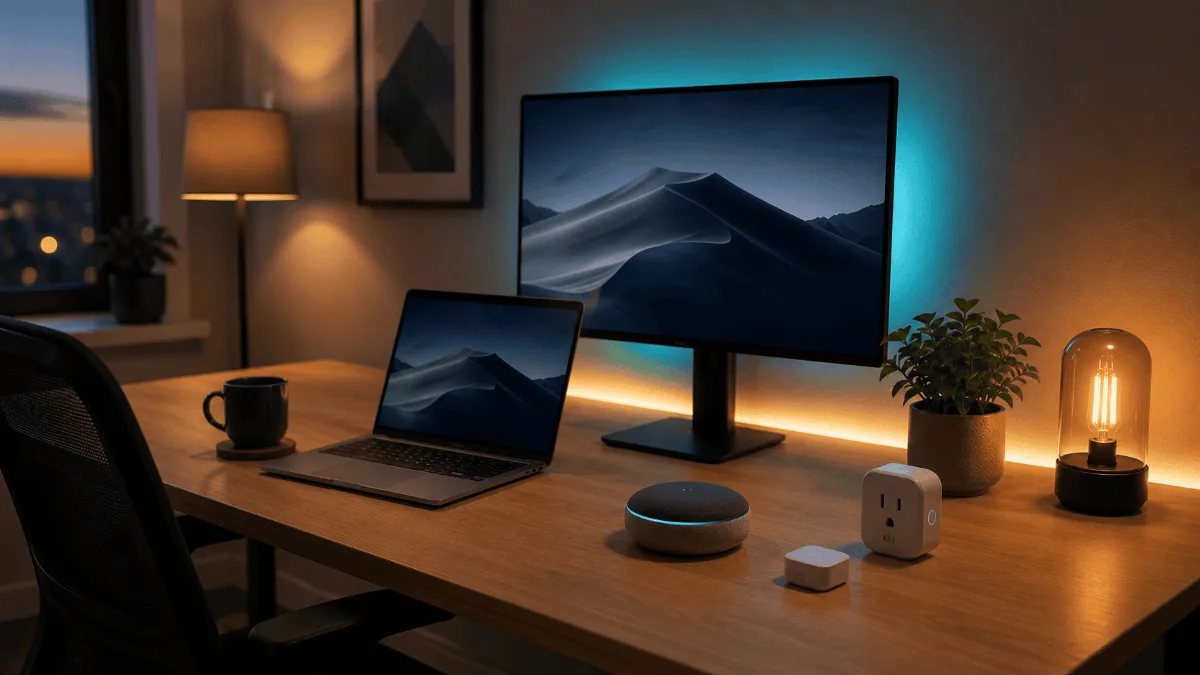
The Halo 2 adds the thing the cheaper bar does not have: an adjustable ambient backlight that throws light onto the wall behind your monitor. That is not decoration. It reduces the contrast between a bright screen and a dark wall, which is the specific thing that tires your eyes when you work after sunset. Owners describe it as providing ample illumination without glare, and the build quality gets called out independently of the lighting.
BenQ calls the front-light geometry ASYM-Light — an 18-degree anti-glare angle so nothing reflects back at you. It also auto-adjusts to room lighting, and the wireless controller means you are not reaching behind the monitor to change anything. Owners say setup and mounting are extremely easy, which is a direct contrast to the clamp complaints on the Quntis.
- Ambient backlight cuts screen-to-wall contrast at night
- Front and back lights adjust separately
- Auto-adjusts to room lighting
- Very easy to set up and mount
- Value for money splits opinion — it is a real step up in price
- The backlight only earns its keep if you work in the dark
- Another small device with a controller to keep track of
At 4.8 stars this is the best-rated light bar in the roundup. The feature owners actually talk about is the motion sensor — it switches on as you approach the desk, which sounds like a gimmick until you have used it for a week and stopped thinking about lighting at all. The other genuine differentiator is coverage: over 1000lx central brightness across an area roughly 33 by 20 inches, which is why this is the one to pair with a wide screen.
It also has the most accommodating mount here, rated for monitors between 0.17 and 2.56 inches thick and curvatures from 1000R to 1800R. If you bought a curved ultrawide and found that most light bars do not sit properly on it, this is the one designed for that problem. Owners describe it as exceeding expectations with a design that blends into the setup.
- Motion detection turns it on automatically
- Over 1000lx and a genuinely ultrawide spread
- Fits curved monitors from 1000R to 1800R
- Highest rating of the three
- The most expensive way to solve this problem
- Overkill on a single 24 or 27 inch screen
- Motion sensing is convenience, not better light
Which tier should you actually buy?
Entry — Quntis
- A single 24 or 27 inch monitor
- You work mostly in daylight hours
- You are happy to set brightness by hand
Mid — ScreenBar Halo 2
- You regularly work after dark
- The wall behind your screen is dark
- You want it to adapt without you touching it
Premium — ScreenBar Pro
- You run a 34 inch or curved ultrawide
- Cheaper bars leave your desk edges dim
- You want it to switch itself on and off
How to choose a monitor light bar
Check the clamp against your monitor first
This is the single biggest source of disappointment in the category, and it shows up directly in the Quntis reviews where mounting and stability split opinion. Light bars rest on the top bezel and counterweight behind it. Very thin bezels, unusually curved backs and chunky rear housings all upset that balance. The ScreenBar Pro publishes exact figures — 0.17 to 2.56 inches thick, 1000R to 1800R curvature — and it is worth measuring your own before you order anything.
Asymmetric light is the entire point
If the beam is not angled away from the screen, you have bought an expensive desk lamp that sits in a worse place. BenQ brands its version ASYM-Light at an 18-degree angle; good cheaper bars do the same thing without the name. The test after it arrives is simple: sit normally, turn it on, and look for a bright band reflected across the screen. There should not be one.
Flicker and blue light certification are not marketing
Cheap LED strips flicker at a rate you cannot consciously see but your eyes still track, and that is a real contributor to end-of-day fatigue. The Quntis listing cites IEC/TR 62778 and IEC/EN 62471 compliance. Named standards beat the phrase eye-caring with nothing behind it.
Match the width to the screen
A bar built for a 27-inch monitor on a 34-inch ultrawide lights the centre and fades at both ends, which is worse than no bar because now your desk is unevenly lit. If you already run an ultrawide — or are about to, see our 34-inch ultrawide monitor picks — buy the wide-coverage model.
Frequently asked questions
Does a monitor light bar actually reduce eye strain?
The mechanism is straightforward: your pupils stop constantly re-adjusting between a bright screen and a dark desk. Owners across all three products report less strain, and that is the most consistent theme in the category. It is not a medical claim, it is a contrast-management one.
Will it reflect on my screen?
Not if the beam is properly angled, which is what separates a light bar from a desk lamp. Owners of all three here specifically mention glare-free operation. If yours does reflect, it is mounted too far forward.
Can I use one on a laptop?
Laptop screens are usually too thin and too light for the clamp to balance safely. These are designed for desktop monitors. If you work off a laptop on a stand, a small desk lamp placed to the side is the safer answer.
Do they need their own power socket?
Most run off USB, so they draw from the monitor or a hub rather than the wall. Worth checking your free ports before you buy — our USB hub guide covers it if you are already short.
Is the auto-brightness feature worth paying for?
Only if your room light changes through the day. In a room with steady light you will set it once and never adjust it, which makes the manual bar the better buy.
The verdict
For a single monitor in a normally lit room, the Quntis Monitor Light Bar is the right buy and it is not close — nearly 14,000 owners, real flicker and blue-light certifications, and the same core benefit as bars costing several times more.
Step up to the ScreenBar Halo 2 if you work after dark and want the ambient backlight that cuts screen-to-wall contrast. Go to the ScreenBar Pro if you run a wide or curved screen, where the cheaper bars genuinely cannot cover the width — that is a capability difference, not a luxury one.
Fix the lighting before you blame the screen
Both links go to Amazon.
So the best monitor light bar is a question about your desk, not about brightness. One monitor in a lit room: the Quntis does everything the expensive ones do. Working after dark: the Halo 2 backlight is the upgrade that matters. Running an ultrawide: the ScreenBar Pro is the only one here that covers the width, which makes it the best monitor light bar for that specific desk and a waste of money on any other. If the screen itself is the next thing you are fixing, see our home office monitor picks.