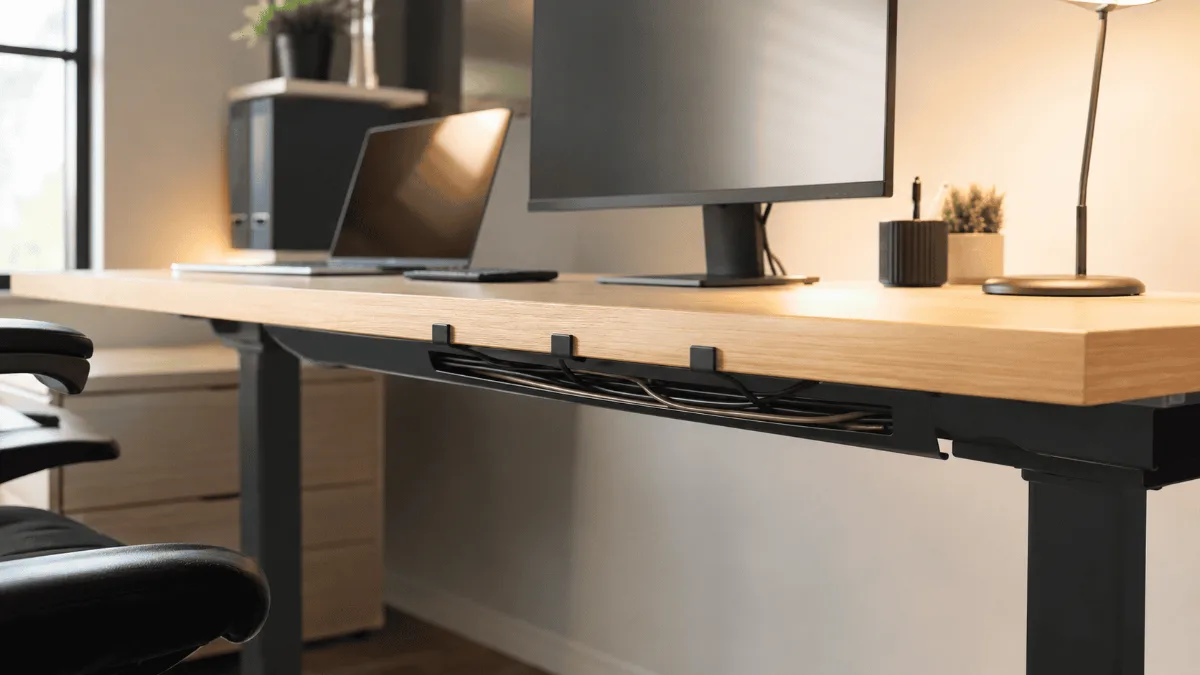
Cable mess is not a tidiness problem, it is a maintenance one — every time you move the desk you fight it again. The best cable management solutions for desks are the ones owners still have installed a year later, rather than the ones that looked neat in the product photo.
Cable management sounds like something only neat freaks care about. Then you start working from home full-time and the desk turns into a spaghetti nightmare of charging cables, USB cords, and power strips. Every time I needed to move something, I’d accidentally unplug half my setup.
Turns out good cable management isn’t about looking pretty (though that’s nice). It’s about actually being productive without wrestling with cords every five minutes. Plus your pet can’t turn into a destroyer of electronics when everything’s properly tucked away.
After reading through a year of owner reviews on dozens of cable management solutions, I’ve found the ones that actually work in real home office situations. Not the Instagram-perfect setups, but the kind where you’re dealing with laptop chargers, phone cables, and that one mysterious cord you’re afraid to unplug.
J Channel Cable Raceway
⚡ Best desk cable management — quick picks
| 🏆 Biggest impact | Under-desk cable tray — hides power strip + cables in one move |
| 💰 Start here | Adhesive cable clips — 10 min install, 80% of desks look better instantly |
| 🖥️ Standing desks | J-channel raceway on desk leg — prevents cable tangle when raising |
Simple adhesive channel that handles most desk cable situations. Paintable, multiple sizes, and actually stays stuck to your desk without falling off after a week.
| Solution | Best For | Capacity | Get It |
|---|---|---|---|
| J Channel Cable Raceway | Most setups | Multiple cables | Check → |
| Under Desk Cable Tray | Power strips | Large capacity | Check → |
| Magnetic Cable Holders | Active cables | Individual cords | Check → |
| Cable Spine Organizer | Flexible routing | Medium bundles | Check → |
| Adhesive Cable Clips | Budget option | Single cables | Check → |

This is what I wish I’d bought first instead of trying five different “solutions” that didn’t stick or fell apart. The J channel design lets you run multiple cables together while keeping them accessible for changes. The adhesive backing actually stays put, even on my sit-stand desk that moves constantly.
Installation takes about 10 minutes and you can paint it to match your desk if you’re into that level of coordination. I mounted mine along the back edge and it handles my laptop charger, monitor cable, and phone charging cord without looking bulky. When I need to add or remove something, the open top makes it dead simple.
- Actually stays mounted to desk surface
- Easy cable access for changes
- Clean look that doesn’t scream “cable management”
- Can be painted to match your setup
- Need multiple pieces for long runs
- Corners require cutting and planning

If you’ve got a power strip and wall warts cluttering up your floor space, this thing is a game changer. Mounts under your desk and gives you a dedicated spot for all the bulky power stuff. No more kicking your surge protector or having adapters scattered around your feet.
The mesh design lets heat escape so your power strip doesn’t turn into a space heater. I keep my surge protector, a few wall adapters, and excess cable length all tucked away but still accessible. The steel construction feels solid and the clamp mount works on most desk thicknesses.
- Completely hides power strip and adapters
- Good ventilation for heat management
- Strong steel construction
- Easy access when you need to plug something in
- Only fits standard desk thicknesses
- Takes up some leg room underneath

These are perfect for the cables you’re constantly plugging and unplugging – phone chargers, USB-C cables, headphone cords. Instead of having them fall behind your desk every time you disconnect something, the magnetic holders keep them right where you need them.
The magnets are strong enough to hold through reasonable desk movement but not so strong that you’ll struggle to grab a cable when your phone is dying. I keep my phone charger, AirPods cable, and a spare USB-C cord all within easy reach. They stick to any metal surface or you can use the included metal plates.
- Cables stay exactly where you put them
- Easy one-handed cable grab
- Works on metal desks or with included plates
- Different sizes for various cable types
- Need metal surface or adhesive plates
- Can look cluttered if you use too many

When you need to route cables around obstacles or create custom paths, this flexible spine system works great. It’s basically a bendable tube that holds its shape while keeping multiple cables together. Owners use it to run cables from the desk up to wall-mounted monitors without loose wires everywhere.
The spine bends and holds position well, so you can route around desk legs, follow curved paths, or go vertical along walls. It handles a decent bundle of cables and the split design makes it easy to add or remove wires without redoing the whole run.
- Highly flexible routing options
- Holds shape once positioned
- Easy to add/remove cables
- Good capacity for multiple wires
- Can look industrial in some setups
- Requires planning for best results

Sometimes you just need to keep a few cables from falling behind your desk without spending much money. These simple adhesive clips do exactly that. Stick them along your desk edge and thread individual cables through to keep them accessible but not wandering around.
They work well for lighter cables like USB cords, phone chargers, and headphone wires. The adhesive holds well on most surfaces and you get enough clips to handle a typical home office setup. Not fancy but effective for basic cable control.
- Very affordable solution
- Good variety of sizes included
- Strong adhesive backing
- Easy installation
- Only handles single cables
- Can look cluttered with many clips
- Not great for heavy cables
## What to Look for in Desk Cable Management
**Accessibility vs. Concealment**
You want cables organized but not buried so deep that making changes becomes a nightmare. Look for solutions that let you easily add or remove cables without undoing the entire setup. The best systems hide visual clutter while keeping everything functional.
**Desk Compatibility**
Consider your desk material and thickness. Clamp-on solutions need enough edge clearance and won’t work with glass tops. Adhesive options need clean surfaces to stick properly. If you have a standing desk, make sure the system can handle the movement without coming loose.
**Cable Types and Volume**
Count what you’re actually managing – power cables are thicker than USB cords, and some solutions handle bulk better than others. A laptop charger needs different accommodation than a thin phone cable. Size your solution to handle current cables plus a few extras for future additions.
**Installation Effort**
Some systems require drilling or permanent mounting while others use adhesive or clamps. Consider whether you’re renting your space and how much modification you’re willing to make. The best solution is one you’ll actually install and use consistently.
**Future Flexibility**
Your cable situation will change as you add monitors, switch devices, or reconfigure your setup. Look for modular systems that can grow with your needs rather than single-purpose solutions that become obsolete when you upgrade your workspace.
J Channel Cable Raceway
Handles the majority of home office cable management needs with a clean look and easy access. Mount it along your desk edge and route your main cables through for an instantly tidier workspace.
Quick Takeaways
- Start with cable management for your most annoying daily cables first
- J Channel Raceway handles most home office setups effectively
- Under-desk trays are essential if you have power strips on the floor
- Magnetic holders work great for frequently used charging cables
- Don’t over-engineer – simple solutions often work better than complex ones
Frequently Asked Questions
What is the best way to manage desk cables?
The most effective cable management system combines: cable channels or raceways along the desk edge (hides power cables from view), velcro cable ties for bundling grouped cables, a cable management tray under the desk (holds power strips and excess cable length), and cable clips along the back of the desk for routing. Address power first (the thickest, most unsightly cables), then USB/signal cables.
Do cable management boxes overheat power strips?
Quality cable management boxes have ventilation slots specifically designed to prevent heat buildup. Avoid sealing power strips in completely enclosed boxes without airflow. If your power strip handles high-wattage devices (monitors, desktop PCs), choose an open cable tray style rather than an enclosed box. Never store a power strip that feels hot to the touch inside a closed enclosure.
How do I manage cables on a sit-stand desk?
Sit-stand desks need flexible cable management that accommodates the height change. Use: a cable chain (drag chain) along the desk leg to protect cables during motion; a cable management spine or sleeve that bundles desk-to-floor cables and stretches as the desk rises; and enough cable slack (30–40cm extra) in every cable run to cover the full height range without pulling connections loose.
What is the quickest way to tidy a messy desk?
Three quick wins: (1) Velcro cable ties to bundle all cables — immediate visual impact for very little. (2) A cable management tray under the desk to hide the power strip. (3) Label cables with coloured tags so you can identify what’s what without tracing. These three steps take under an hour and eliminate 80% of cable clutter.
Best Standing Desks Under $300 · Best Desk Pads · FlexiSpot E7 Review · Best USB-C Docking Stations · Best Desk Gadgets
under-desk cable tray is the pick most readers here land on. Stock and deals shift often, so it is worth checking what it is going for right now.