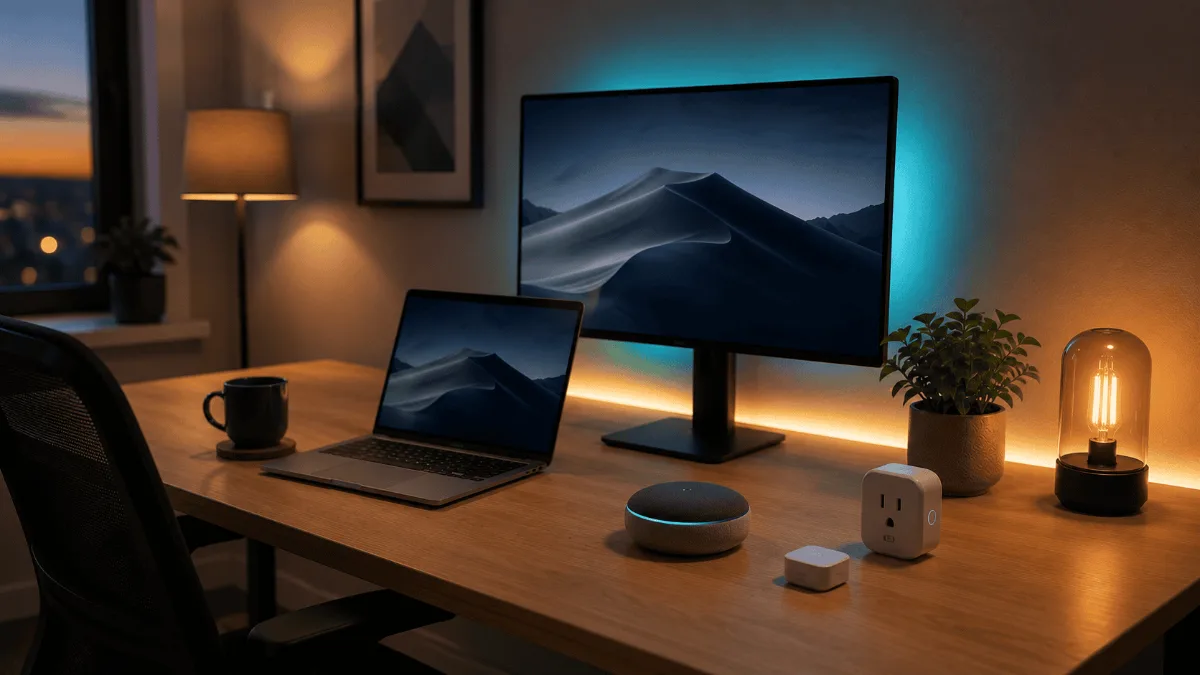
⚡ Best smart home devices for home office — quick picks
| 🏆 Must-have | Echo Show 8 — video calls, timers, smart hub, all in one device |
| 💡 Best for focus | Smart plugs + smart bulbs — automate your “work mode” lighting |
| 🌡️ Worth adding | Nest Thermostat — auto-schedule saves ~15% on energy bills |
Working from home felt pretty basic until I started adding smart devices to my office setup. I’m talking about gadgets that actually make my workday smoother, not just flashy tech that sits there looking pretty.
After going through a year of owner reviews on dozens of smart office devices, I’ve narrowed it down to the ones that actually earn their keep. These aren’t your typical “smart” gimmicks — they’re tools that adapt to how you work and make your home office feel more professional.
Here’s what actually works in 2026.
Amazon Echo Show 8 (3rd Gen)
Perfect smart hub for your desk — manages calls, controls devices, and displays your calendar without taking up much space.
Quick Comparison
| Product | Best For | Key Feature | Get It |
|---|---|---|---|
| Echo Show 8 | Smart hub | 8″ display | Check → |
| Philips Hue Go | Mood lighting | Portable design | Check → |
| Nest Thermostat | Climate control | Auto-scheduling | Check → |
| TP-Link Kasa Plug | Device automation | Energy monitoring | Check → |
| Ring Video Doorbell | Security | Motion alerts | Check → |
The Best Smart Office Devices
This thing sits on a desk like a mini computer that actually understands what you need. The 8-inch screen shows my calendar at a glance, handles video calls surprisingly well, and controls every smart device in my office with simple voice commands.
What sold me was how it integrates with work apps. I can see my Zoom meetings, get Slack notifications, and even use it as a second monitor for basic tasks. The 13MP camera with auto-framing keeps me centered during calls, which beats my laptop webcam by miles.
The adaptive brightness is clutch too — it automatically adjusts based on room lighting so it’s never too harsh during late-night work sessions. Plus the privacy shutter gives me peace of mind when I need to go off-camera.
- Perfect desk size — not too big or small
- Auto-framing camera beats most laptops
- Controls all my smart devices with voice
- Shows calendar and notifications clearly
- Physical privacy shutter
- Screen glare in bright sunlight
- Limited app selection vs tablets
- Alexa can be hit-or-miss with complex commands
This little light completely changed how my office feels throughout the day. It’s portable, battery-powered, and syncs with my work schedule to automatically shift from energizing blue-white light in the morning to warm amber as evening approaches.
The app lets me set scenes for different work modes — I have a “Focus” setting with cool white light, a “Creative” mode with softer colors, and an “End of Day” warm setting that helps me wind down. The light is bright enough to be useful but soft enough that it doesn’t create harsh shadows on video calls.
But here’s what really impressed me: I can pick it up and move it anywhere. During calls, I position it behind my monitor for gentle backlighting. When I’m reading documents, I move it closer for task lighting. No cords, no fuss.
- Truly portable with decent battery life
- Perfect for video call lighting
- Automatically adjusts throughout the day
- Millions of color options
- Works with Alexa and Google Assistant
- Only 3 hours battery at full brightness
- Expensive for a single light
- Need Hue Bridge for full features
This thermostat learned my work-from-home schedule within a week and now keeps my office at the perfect temperature without me thinking about it. It knows I start work at 8 AM and automatically warms up my office space by 7:45 AM.
The real magic happens with the remote temperature sensors. I put one in my office, and now the Nest prioritizes that room’s temperature during work hours instead of the whole house. My office stays comfortable while the rest of the house saves energy.
The app shows me exactly how much energy I’m saving, which is surprisingly motivating. It also sends me alerts if something seems off with my HVAC system, which caught a filter issue I wouldn’t have noticed otherwise.
- Learns my schedule automatically
- Room-specific temperature control with sensors
- Saves money on energy bills
- Sleek design that looks premium
- Works with all major smart home systems
- Installation can be tricky without C-wire
- Takes a week to learn your preferences
- Remote sensors sold separately
These little plugs are probably the cheapest way to make any device “smart.” Owners use them for desk lamps, coffee makers, space heaters, and external monitors. The scheduling feature means your coffee starts brewing at 7:30 AM and your desk setup powers on right before your first meeting.
The energy monitoring is the feature owners bring up unprompted. The pattern in reviews is the same story each time: someone plugs in a space heater or an old appliance, sees the number, and replaces it. The app shows real-time and historical energy usage for each device.
Setup is brain-dead simple — plug it in, scan the QR code with the Kasa app, and you’re done. Voice control works perfectly with Alexa and Google Assistant, so you can turn devices on and off without leaving your desk.
- Super affordable way to automate devices
- Energy monitoring helps cut costs
- Reliable WiFi connection
- Simple scheduling and voice control
- Compact design doesn’t block other outlets
- Only works with 2.4GHz WiFi
- App could be more intuitive
- No USB ports for charging
Working from home means being available for deliveries, but I don’t want to get interrupted every time someone walks by my door. This Ring doorbell sends smart alerts that distinguish between people, packages, and random motion, so I only get notified when it matters.
The Bird’s Eye View feature is incredibly useful — it shows a top-down view of my front porch, so I can see exactly where packages are left. The 1536p video is crisp enough to read delivery labels and recognize faces clearly.
During work calls, I can quickly glance at the app to see if that knock was important or just a neighbor passing by. The pre-recorded messages are handy too — I can tell delivery drivers to leave packages without interrupting my meeting.
- Smart alerts reduce false notifications
- Excellent video quality day and night
- Bird’s Eye View shows package placement
- Works with existing doorbell wiring
- Quick responses during work calls
- Requires Ring Protect subscription for full features
- Installation needs existing doorbell wiring
- Motion detection can be oversensitive initially
Smart Office Buying Guide
Start with Your Pain Points
Don’t buy smart devices just because they’re cool. Think about what actually annoys you during your workday. Is your office too hot in the afternoon? Get a smart thermostat. Always forgetting to turn off your desk lamp? Smart plugs solve that. Getting interrupted by delivery drivers during calls? A smart doorbell helps.
Check Your WiFi Coverage
Smart devices are only as good as your internet connection. Most devices need 2.4GHz WiFi, which has better range but slower speeds than 5GHz. If your office is far from your router, consider a mesh system like the Eero 6+ before adding smart devices.
Pick an Ecosystem
Alexa, Google Assistant, and Apple HomeKit all work differently. Choose one and stick with it for the best experience. Alexa has the most device compatibility, Google integrates better with work apps, and HomeKit is most secure but has fewer options.
Consider Privacy
Smart devices collect data about your habits. Look for devices with physical privacy switches, local processing options, and clear privacy policies. Ring, for example, has faced criticism for sharing data with law enforcement.
Budget for Subscriptions
Many smart devices work fine without subscriptions, but premium features often require monthly fees. Ring needs Ring Protect for cloud storage, Nest cameras need Nest Aware for advanced features. Factor these ongoing costs into your budget.
Common Questions
Amazon Echo Show 8
It’s the perfect command center for any home office — manages your other smart devices, handles video calls, shows your schedule, and fits perfectly on a desk without taking over your workspace.
Quick Takeaways
- Echo Show 8 is the best all-in-one smart hub for desks
- Philips Hue Go provides professional lighting that moves with you
- Nest Thermostat learns your schedule and saves energy automatically
- Kasa Smart Plugs are the cheapest way to automate existing devices
- Ring Doorbell Pro 2 handles deliveries without work interruptions
- Start with devices that solve actual problems, not just cool features
- Make sure your WiFi can handle additional smart devices
TP-Link Kasa Smart Plug is the pick most readers here land on. Stock and deals shift often, so it is worth checking what it is going for right now.
Frequently Asked Questions
What smart home devices are most useful in a home office?
The highest-impact smart home additions for a home office: (1) Smart plug/power strip — schedule devices to power off at end of workday; (2) Smart bulb or desk lamp — automate lighting scenes for focus vs calls; (3) Smart thermostat — maintain consistent temperature without manual adjustment; (4) Mesh Wi-Fi — eliminates dead zones and VPN dropouts; (5) Smart speaker — hands-free timers, reminders, and music control.
Does smart lighting actually help productivity?
Research supports the link between colour temperature and focus. Cooler light (5000–6500K, “daylight”) correlates with higher alertness and focus during work hours. Warmer light (2700–3000K) signals wind-down. Smart bulbs like Philips Hue allow you to automate these scenes — cool white during the work day, warm amber from 6pm. The effect is subtle but cumulative.
Is a mesh Wi-Fi system worth it for a home office?
Yes, if your home office is more than one room away from your router or on a different floor. Mesh systems (Eero, Google Nest Wifi Pro, TP-Link Deco) eliminate dead zones that cause VPN drops, video call stutters, and general connectivity issues. For homes under 1,500 sq ft with the office near the router, a standard router is usually sufficient.
Can smart home devices improve work-life balance?
Yes — smart home automation is one of the most underrated work-life balance tools for remote workers. Automated routines that power off work displays, change lighting, and play music at a set time create a physical “end of work” signal that compensates for the missing commute transition. This psychological boundary is one of the most common challenges in permanent remote work.
Best Mesh WiFi for Home Office · Amazon Eero vs Google Nest · Best Desk Gadgets · Home Office Under $500 · Full Setup Guide