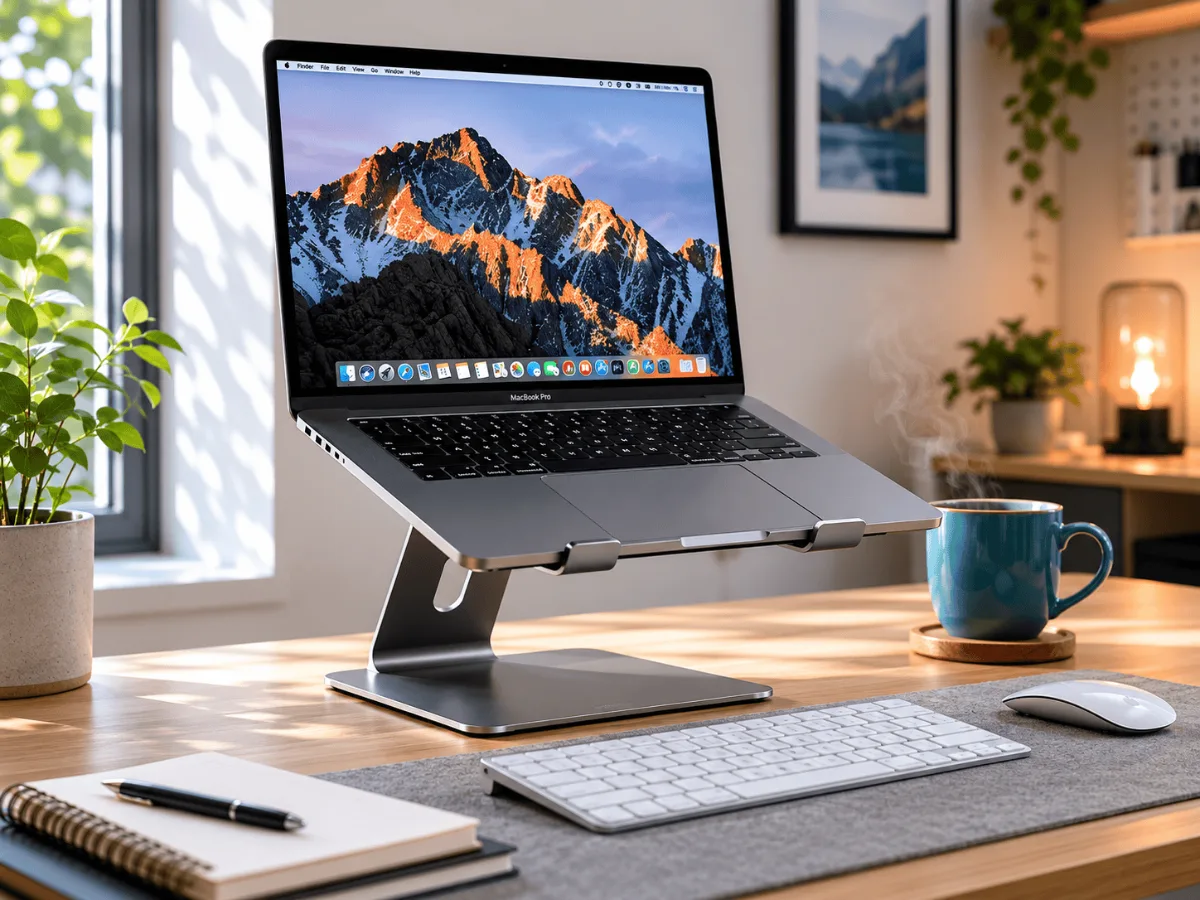
If you’re researching a nulaxy c1 laptop stand review before pulling the trigger, you’re in the right place. The C1 keeps showing up in budget ergonomic setups, and for good reason — it’s aluminum, it folds flat, and it costs almost nothing. Pair it with a great webcam for your Zoom calls and you’ve got a seriously upgraded work-from-home station without spending much at all.
A nulaxy c1 laptop stand review wouldn’t be complete without talking about what happens after the honeymoon phase. Most owners keep using it months later, which says a lot. If you want to go deeper on building out your full ergonomic desk setup, this nulaxy c1 laptop stand review pairs well with our FlexiSpot E7 standing desk deep dive for anyone thinking about the bigger picture.
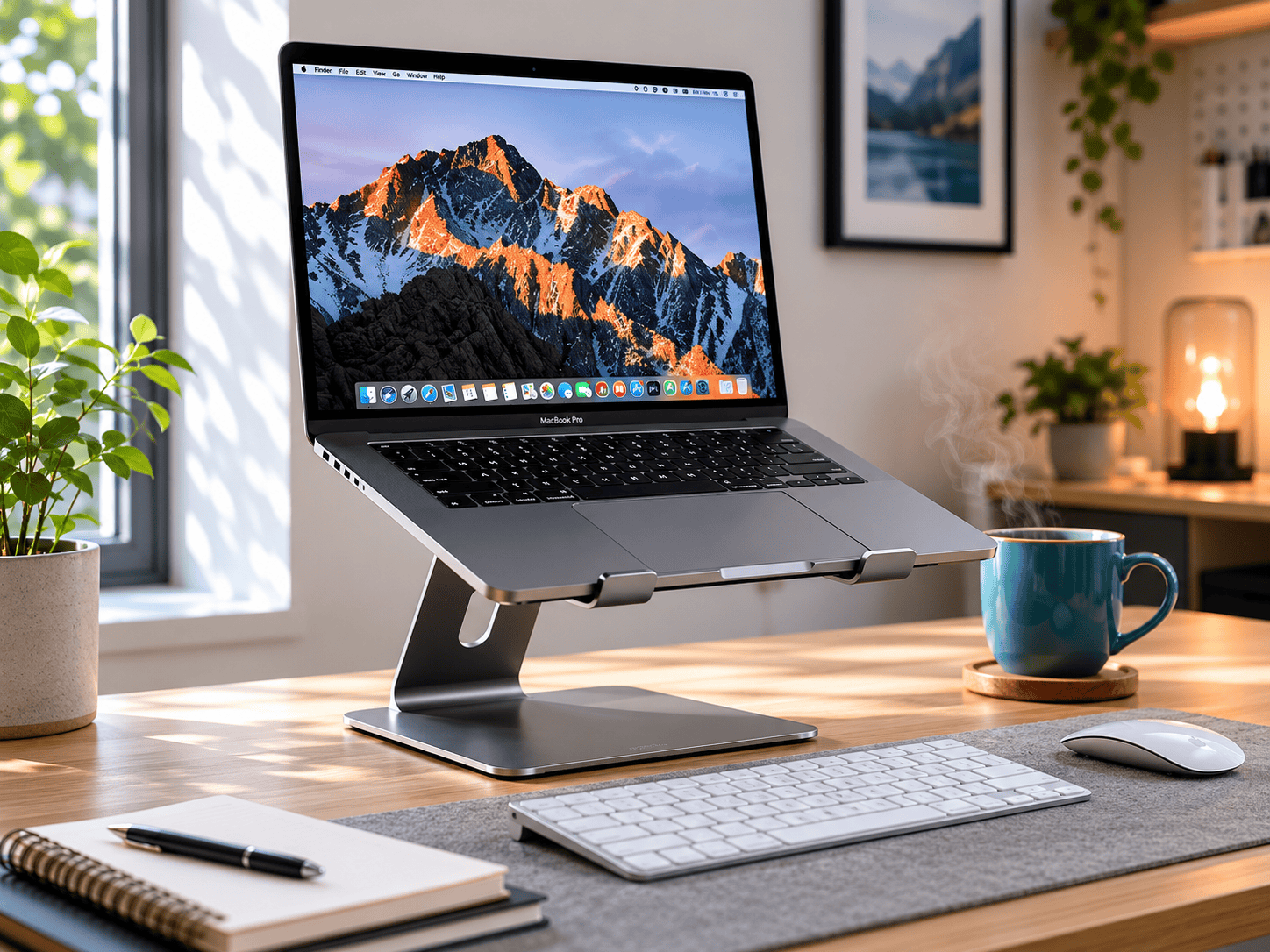
Laptop neck is one of those slow-burn problems. You don’t notice it until you’re rolling your shoulders at 3pm wondering why your upper back feels like concrete. The fix is almost embarrassingly simple: get your screen up to eye level. The Nulaxy C1 is one of the cheapest ways to do that, and it has a weirdly loyal following for a little chunk of aluminum.
Nulaxy C1 Laptop Stand — Yes, for Most People
After going through the reviews, the verdict is straightforward: if laptop neck is a problem for you and you’re not ready to commit to a monitor arm setup, the C1 solves it at the lowest possible cost. Stable, folds flat, and owners report the build holds up longer than the price suggests.
I went through several hundred owner reviews on this stand before writing this up. The patterns are pretty clear — what people love, what bugs them, and who should probably look elsewhere. Here’s the honest version.
Nulaxy C1 Laptop Stand
A genuinely solid budget laptop stand. Aluminum build, six adjustable angles, folds flat in seconds, and stable enough that owners rarely complain about wobble. The one real caveat is no ventilation cutouts in the platform, so heat-sensitive machines need some airflow consideration. For most people doing office work, it’s a no-brainer upgrade for the price.
Nulaxy c1 laptop stand review: What Owners Report First
The first thing that comes up repeatedly is how much better the C1 looks in person than people expect. At this price point, reviewers go in assuming plastic and come out holding aluminum. That reaction — “wait, this actually feels premium?” — shows up constantly across the review pool.
Second thing that gets mentioned almost immediately is the stability. Owners consistently say it doesn’t rock or slide once a laptop is on it. A few reviews note that silicone pads on both the platform and the feet do real work here, gripping both the laptop and the desk surface without scratching either.
Third, people love that it folds flat. Not “kind of flat” — genuinely flat, in a way that makes it easy to slip into a laptop bag. For anyone who moves between home and the office, that portability is a major part of the appeal.
See the C1 on Amazon
Six height angles, aluminium build
→
Build Quality
The aluminum construction is not just a marketing line — owners back it up. The stand feels solid under a laptop rather than flexing or creaking. I could not find complaints about the build warping or degrading over time in the review pool, which is not something you can say about a lot of budget accessories.
The hinge mechanism is where some nuance lives. Most owners describe it as firm and satisfying to click between angles. A small number — maybe one in fifteen negative reviews — mention the hinge getting slightly looser after six or more months of heavy use. Not broken, just a little less crisp. Worth knowing, but it’s not common enough to be a dealbreaker pattern.
The Six Angles: Does It Matter?
Six adjustable height settings sounds like a lot, but in practice it means you can find a position that actually puts your screen at eye level regardless of whether you’re sitting on a standard desk chair, a couch, or a standing desk. Owners who mention the angle range almost always frame it as a positive — they tried a few settings and found their sweet spot quickly.
The angles roughly span from a shallow laptop-tray tilt up to a steep raise that brings the screen significantly closer to eye level. If you’re pairing this with an external keyboard (which you should be, honestly — ergonomics only work if your arms are at the right height too), the steeper settings are where most people land.
The One Real Complaint: Ventilation
Here’s the thing owners do flag consistently: the platform surface is solid aluminum with no cutout holes. For a MacBook Air doing light office tasks, this isn’t an issue — those machines barely get warm. For a gaming laptop or any machine doing heavy video rendering, a solid platform can trap heat underneath.
Owners running power-hungry machines occasionally mention their CPU running a few degrees warmer compared to using nothing at all. It’s not universal, and many performance laptop owners use the C1 without issue, but it’s the one honest caveat that comes up often enough to mention. If thermal management is a concern for your machine, look for a stand with ventilation cutouts instead.
Nulaxy C1 Laptop Stand
The riser owners keep recommending for neck strain
→
Portability in Practice
The foldable design genuinely wins fans in the review pool. Owners who commute — even just from a home office to a coffee shop a few days a week — call it one of their most-used bag accessories. It takes up about the same space as a paperback book when folded.
The weight is consistently described as light enough to forget it’s in the bag. That kind of frictionless portability is what makes people actually use an accessory rather than leaving it on the desk.
Check current availability
Stock and colour options move around
→
Who Should Buy the Nulaxy C1
If you’re working from home or hybrid and your laptop screen is sitting flat on the desk, this is an almost-instant quality-of-life improvement. It pairs naturally with an external keyboard and mouse — the moment you raise the screen, you need something external for typing, otherwise you’ve just created a different ergonomic problem.
It also makes sense if you move between locations. A stand that folds flat and weighs almost nothing removes every excuse not to use it wherever you are. For context on how this fits into a bigger ergonomic picture, our FlexiSpot E7 standing desk review covers what a proper sit-stand setup looks like when you’re ready to go deeper.
Who Should Skip It
If you run a machine that already throttles or runs hot — think older gaming laptops or workstation notebooks doing video work — the solid platform is a legitimate concern. Look for a stand with ventilation holes in that case.
Also, if you need the laptop screen to sit at a very specific monitor-matching height to line up with an external display, the fixed angle increments might not hit exactly where you need them. A fully height-adjustable arm-style stand gives you more precision, at a higher cost.
- Aluminum build feels genuinely premium for the price
- Six angle settings cover a wide range of use cases
- Stable — silicone pads grip both laptop and desk
- Folds flat and fits easily in a laptop bag
- Lightweight enough to carry daily without noticing
- No wobble complaints in the majority of reviews
- No ventilation cutouts — heat-heavy machines may run warmer
- Hinge can loosen slightly after extended heavy use (minority of reviews)
- Fixed angle increments — no infinite adjustment
Grab the Nulaxy C1
The cheapest fix for a screen that sits too low
→
How It Fits Into a Full Ergonomic Setup
A laptop stand is genuinely one of the highest-ROI ergonomic purchases you can make, but it works best as part of a system. Raise the screen, add an external keyboard and mouse, and you’ve basically replicated a desktop ergonomic setup at almost zero cost.
If you’re doing a lot of video calls from that raised screen position, your built-in webcam will now be pointing at the ceiling. Worth thinking about — we’ve covered the best options in detail in our guide to the best webcams for Zoom meetings, including picks that clip onto an external monitor if you’re going that route.
The stand also pairs well with a standing desk if you’re thinking bigger picture. Raising the screen means your desk height needs to stay comfortable for the external keyboard, which is exactly what a sit-stand desk solves. But that’s a bigger investment conversation for another day.
Nulaxy C1 Laptop Stand
For most hybrid and remote workers, this is it. Aluminum build, six angles, folds flat, travels easily, and the owner satisfaction numbers back it up at a 4.6 rating across a large review pool. The only real caveat is the solid platform if you’re running a hot machine. Otherwise, it’s one of the most consistent budget buys in the ergonomic accessory space.
Quick Takeaways
- The Nulaxy C1 is aluminum, not plastic — owners are consistently surprised by the build quality at this price point.
- Six angle settings give you enough flexibility to find a comfortable eye-level position whether you’re seated or standing.
- Stability is a consistent strength — silicone pads grip both the laptop and the desk without scratching either.
- No ventilation cutouts is the one honest negative — factor this in if your laptop runs hot under load.
- It folds flat and fits in a laptop bag, making it genuinely useful for hybrid workers moving between locations.
- Pair it with an external keyboard and mouse to get the full ergonomic benefit of raising your screen.
📚 Related Articles
Independent testing at RTINGS.com confirms that laptop stand height, stability, and ventilation clearance are the key factors that determine whether a stand actually reduces neck strain over long work sessions.
Nulaxy C1 Laptop Stand is the pick most readers here land on. Stock and deals shift often, so it is worth checking what it is going for right now.