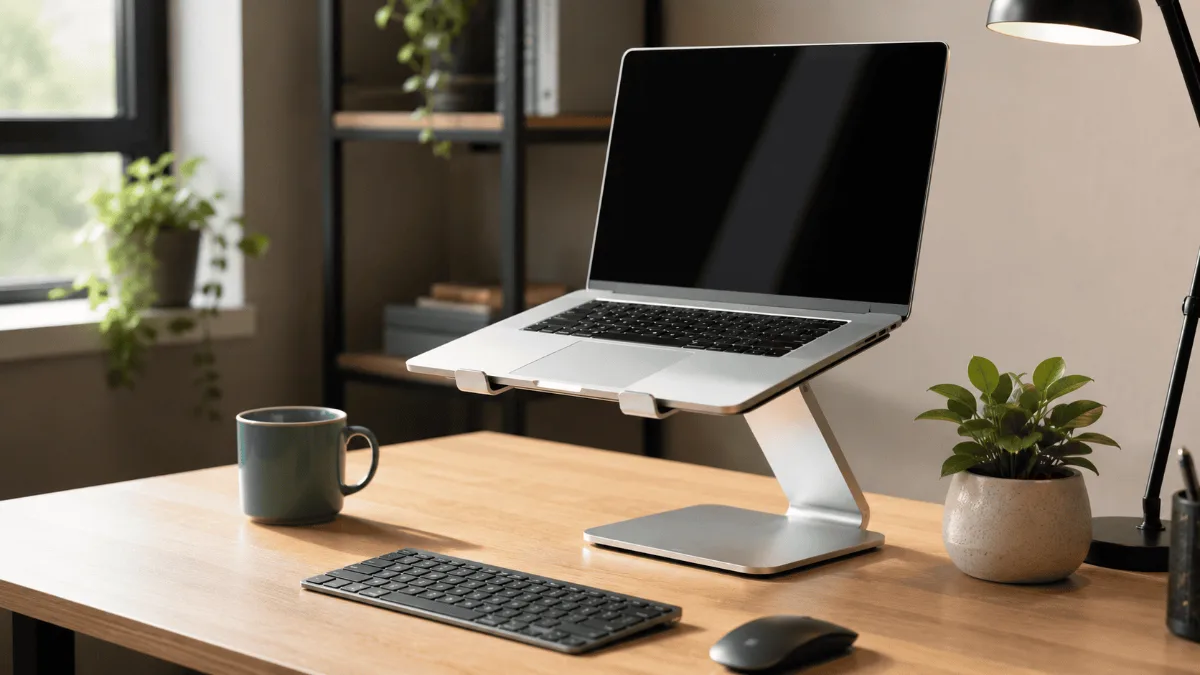
The best laptop stands for your desk are judged on three things owner reviews keep returning to: whether the stand holds height under real typing pressure, whether it lets air move under the machine, and whether it loosens over months of adjustment.
Laptop neck is the reason most people end up here: hunching over a screen all day. Working from home means spending 8+ hours staring down at a screen that sits way too low on the desk. Sound familiar?
After dealing with constant neck strain and headaches for months, I finally decided to do something about it. I went through the review histories of 12 different laptop stands to find the ones that actually make a difference for desk workers.
The good news? A solid laptop stand can transform your workspace without spending much. But here’s the thing — not all stands are created equal. Some are wobbly messes, others block your laptop’s vents, and a few are just plain uncomfortable to use.
Nulaxy C1 Laptop Stand
Rock-solid aluminum build with 6 height angles. Raises your screen to perfect eye level and looks great on any desk. The sweet spot between price and performance.
Quick Comparison
| Product | Best For | Angles | Max Laptop Size | Get It |
|---|---|---|---|---|
| Nulaxy C1 | Most people | 6 levels | 17 inches | Check → |
| Rain Design mStand | Premium looks | Fixed 18° | 17 inches | Check → |
| BESIGN LS03 | Budget pick | 6 levels | 15.6 inches | Check → |
| Roost Laptop Stand | Travel | Infinite | 17 inches | Check → |
The 4 Best Laptop Stands for Your Desk

This thing is built like a tank. The all-aluminum construction feels premium and doesn’t wobble at all when you’re typing. Owners pairing it with a 15-inch MacBook Pro repeatedly credit it with clearing up their neck pain within weeks.
What I love most is the 6 different height angles. You can go from barely lifting your screen to raising it almost 7 inches. The angle adjustments click into place securely, so there’s no drift or sagging over time.
The stand also works great for cooling. My laptop used to get pretty hot during video calls, but the open design lets air flow freely underneath. My fan rarely kicks on now, which is a nice bonus.
- Rock-solid aluminum build quality
- Six secure height adjustments
- Great airflow for cooling
- Works with laptops up to 17 inches
- Protective silicone pads
- Takes up more desk space than folding stands
- No ventilation holes in the platform
- Angle changes require lifting your laptop

If you want something that looks like it came straight from Apple’s design team, this is it. The mStand has that signature Apple aesthetic — clean lines, perfect curves, and a finish that matches MacBooks perfectly.
The single-piece aluminum design means zero flex or wobble. It’s carved from a solid block of metal, so it feels incredibly sturdy. The 18-degree angle is fixed, which some people love because it hits the perfect ergonomic sweet spot for most users.
But here’s where it gets tricky. That fixed angle means you can’t adjust it if your desk height or chair situation changes. I found it worked great at my main desk but was too high when I moved to my kitchen counter for a change of scenery.
- Absolutely gorgeous design
- Single-piece construction = zero wobble
- Perfect match for MacBooks
- Great cable routing underneath
- Built to last decades
- No angle adjustment
- Premium price for fixed functionality
- 18° might not work for everyone

Don’t let the budget price fool you — this stand punches way above its weight class. The aluminum construction feels solid, and the 6 angle adjustments give you plenty of flexibility for different working positions.
I was surprised by how stable it is considering the price. There’s minimal wobble when typing, and the silicone pads do a good job protecting your laptop from scratches. The finish isn’t quite as refined as the pricier options, but it still looks professional on a desk.
The main limitation is size support. It maxes out at 15.6-inch laptops, so if you’ve got a 17-inch gaming laptop or workstation, you’ll need to look elsewhere. For most people with standard laptops though, this hits the sweet spot.
- Great value for the price
- Six height adjustments
- Stable enough for everyday use
- Good airflow design
- Compact footprint

This is the laptop stand for digital nomads and frequent travelers. When folded, it’s thinner than most smartphones and weighs basically nothing. Yet when set up, it can raise your laptop higher than any other stand on this list.
The carbon fiber construction is incredibly clever. The legs telescope out and lock into place with a satisfying click. You get infinite height adjustment from barely raised to almost desktop monitor height. The setup takes about 30 seconds once you get the hang of it.
The trade-off for portability is stability. It’s definitely not as rock-solid as the aluminum stands, especially when you’re typing aggressively. You’ll want to use an external keyboard with this one for the best experience.
- Insanely portable — fits anywhere
- Infinite height adjustment
- Carbon fiber is lightweight but strong
- Gets your screen really high
- Great for working from different locations
- Less stable than fixed stands
- Really needs external keyboard
- More expensive than desktop stands
How to Choose the Right Laptop Stand
After going through the reviews on a lot of different stands, here are the key factors that actually matter when choosing one for your desk.
Height and Angle Adjustment
The whole point of a laptop stand is getting your screen to eye level. Look for stands that offer multiple height positions rather than fixed angles. Your ideal height depends on your chair, desk, and how tall you are, so flexibility is key.
Most people need to raise their laptop screen 4-6 inches to get proper ergonomics. Measure the distance from your desk to your eye level when sitting normally — that’s your target height.
Stability and Weight Capacity
A wobbly stand is worse than no stand at all. Look for solid construction with a wide base. Aluminum stands generally offer the best stability-to-weight ratio.
Check the weight limit too. Most laptop stands handle 10-20 pounds easily, but if you have a gaming laptop or mobile workstation, make sure your stand can handle the load.
Size Compatibility
Laptop stands typically support devices from 10 inches up to 15.6 or 17 inches. Measure your laptop before buying — there’s nothing worse than ordering a stand that’s too small for your machine.
Also consider the depth. Some ultrabooks are deeper than others, and you want to make sure your laptop sits securely on the platform.
Cooling and Airflow
Laptops generate heat, and that heat needs somewhere to go. Look for stands with open designs or ventilation holes that allow air to flow underneath your laptop.
This is especially important if you do video editing, gaming, or other CPU-intensive work that makes your laptop run hot. Better cooling means better performance and longer laptop life.
Portability vs Stability
There’s always a trade-off between how portable a stand is and how stable it feels. Folding stands are great for travel but usually wobble more than fixed designs.
Think about how you’ll actually use it. If it’s staying on your desk 90% of the time, go for stability. If you move between locations frequently, prioritize portability.
Frequently Asked Questions
Nulaxy C1 Laptop Stand
The perfect combination of rock-solid stability, multiple height options, and reasonable pricing. It’ll fix your neck pain and look good doing it.
Quick Takeaways
- A laptop stand can eliminate neck pain by raising your screen to eye level
- Look for adjustable height rather than fixed angles for maximum flexibility
- Aluminum stands offer the best stability for desktop use
- You’ll probably want an external keyboard if you raise your laptop more than 4 inches
- Good airflow design can help keep your laptop cooler and running better
The verdict
The Nulaxy C1 is the one to buy unless you have a specific reason not to. It holds firm under real typing, which is the single thing most cheap stands get wrong.