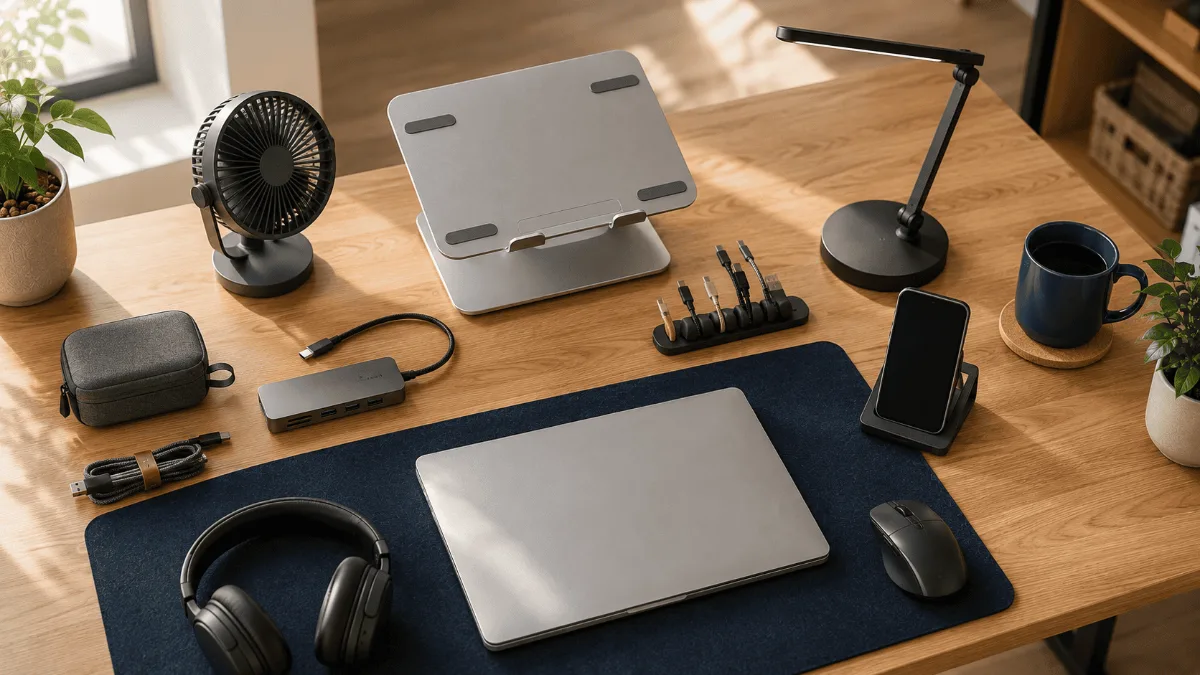
The best desk gadgets for a home office are almost never the ones with the loudest marketing. They are the small, boring upgrades that remove a daily friction you had stopped noticing. I went through the reviews on dozens of them to separate the genuinely useful from the drawer-filler.
⚡ Best desk gadgets for home office 2026 — top picks
| 🏆 Highest ROI | Docking station — one cable to rule all ports + dual monitors |
| 📷 Biggest visual upgrade | Logitech C920x — your team instantly notices the quality jump |
| 🔇 Focus booster | ANC headphones — Sony XM5 or Soundcore Space One depending on budget |
If you’ve been searching for the best desk gadgets home office 2026 has to offer, you’re not alone. More people are treating their workspace as a long-term investment rather than a temporary setup. In this guide, I break down the best desk gadgets home office workers are actually buying this year — organized by category, so you can focus on what you actually need. Check out our FlexiSpot E6 MAX review for a deeper dive on one of our top standing desk picks.
5 Desk Gadget Categories That Are Quietly Upgrading Home Offices This Year
Here is what I keep noticing when people share their home office setups: the biggest improvements are not coming from one hero product. They are coming from slowly filling in five specific categories that almost every work-from-home setup is weak in at some point.
Standing desks. Webcams. Headphones. Docking stations. Desk organization. Nail all five and your home office feels like a completely different place. Miss one and you will feel the gap every single day.
So instead of a single product review, I went through hundreds of owner reviews across all five categories and pulled the products that keep coming up as the reliable, sensible picks — for every budget. Here is what is actually worth your attention in 2026.
FlexiSpot E6 MAX Standing Desk
The standing desk that comes up most consistently in home office upgrade threads. Dual motors, 275lb capacity, four memory presets, and anti-collision tech — at a mid-range price that almost everyone can justify. Assembly takes 30 to 45 minutes based on owner reports, and the 72lb weight means you will want a second pair of hands, but the end result is a desk that barely wobbles even at full height.
Quick Comparison: One Strong Pick Per Category
| Product | Category | Best For | Get It |
|---|---|---|---|
| FlexiSpot E6 MAX | Standing Desk | Best overall desk | Check |
| Logitech C920x | Webcam | Best budget webcam | Check |
| Sony WH-1000XM5 | Headphones | Best ANC headphones | Check |
| Anker 577 USB-C Dock | Docking Station | Best value dock | Check |
| YSAGi Leather Desk Pad | Desk Organization | Best budget desk pad | Check |
Category 1: Standing Desks — The Upgrade That Changes Everything
If there is one category that home office workers consistently say they wish they had upgraded sooner, it is the standing desk. Sitting for eight-plus hours wears on you in ways that are hard to notice until you stop doing it. A good electric standing desk fixes that with almost zero friction — you press a button and change positions.
The tricky part is that the price range here is enormous. So I pulled three picks that each make sense at a different budget level.
I went through a few hundred reviews on the FlexiSpot E6 MAX and the same story keeps coming up: people are surprised at how solid it feels compared to what they paid. The dual-motor system is the main reason. Single-motor desks wobble more at standing height, especially when loaded up with monitors and gear. The E6 MAX’s 330 lb capacity means you can pile on two monitors, a dock, a lamp, and a monitor arm without worrying.
The four memory presets are genuinely useful day-to-day — owners report setting one for seated height, one for standing, and using the other two for different postures or second users. Anti-collision is a nice safety feature that stops the desk if it meets resistance on the way down, which matters if you have cables or pets in the vicinity.
Where it gets real is assembly. Owner reports cluster around 30 to 45 minutes with two people, and almost everyone says they were glad they had help for the frame flip. At 72 pounds, the frame is not something you want to wrestle solo on a hard floor.
For a deeper look at how this desk performs in a real setup, our FlexiSpot E6 MAX review goes through the specifics.
- Dual motor keeps it stable even loaded up
- 275lb capacity handles full monitor setups
- Anti-collision stops costly cable accidents
- Four presets feel worth it in daily use
- 72lb frame — really do get a second person for assembly
- Assembly runs 30 to 45 minutes, not a quick setup
The Fezibo punches above its weight for what it costs, and the cable tray inclusion is a detail I keep noticing because most desks at this tier make you buy one separately. Owners consistently mention it as a small but appreciated touch for keeping the underside clean.
The 70lb weight capacity is the number to watch. If your setup is a laptop, a single external monitor, and basic accessories, you are probably fine. If you are planning dual monitors with a heavy dock and a monitor arm, that ceiling gets tight fast. The single motor is also slower than dual-motor desks, and a handful of reviews mention it feels less rigid at full extension — not dangerously so, but noticeable.
- Cable tray included out of the box
- Three presets for a desk in this range
- Good entry point for the sit-stand habit
- 70lb cap limits heavy dual-monitor setups
- Single motor is slower and less stable at max height
Category 2: Webcams — Because Your Video Call Presence Matters
Built-in laptop cameras in 2026 are better than they used to be, but they are still not great. The angle is wrong, the low-light performance is muddy, and the audio pickup is too far from your face. A dedicated webcam fixes all three in one swap.
The good news: you do not need to spend a lot to make a visible difference. Our full breakdown of options lives in the best webcams for Zoom meetings guide, but here are the two picks that come up most often for home offices.
The C920x has an almost unfair number of reviews at this point, which makes the signal-to-noise ratio pretty good. What comes through clearly: it just works, consistently, across Windows and Mac, across Zoom and Teams and Google Meet. Owners rarely mention having to adjust settings or troubleshoot it. You plug it in, it works.
The dual microphones are a genuine bonus for the category. Not a replacement for a dedicated mic if you are podcasting, but for calls, they are better than what most people are used to from built-in options. The one thing that keeps surfacing as a miss is the lack of a privacy shutter — you will want a physical lens cover if that is something you care about.
- Plug-and-play reliability across all major platforms
- Dual mic is better than expected for the category
- Proven track record across thousands of reviews
- No physical privacy shutter
- Capped at 1080p — no upgrade path if you want 4K later
Category 3: Noise-Cancelling Headphones — The Focus Investment
This is the category that home office workers tend to underestimate until they work somewhere noisy. A lawn mower outside, a partner on a call in the next room, construction down the street — active noise cancellation turns all of that into background silence. And the difference in focus quality is not subtle.
Going through reviews on the XM5, the ANC quality comes up in almost every positive mention. Owners describe it as the first pair of headphones that genuinely made a noisy environment feel quiet — not just quieter. The 30-hour battery means you are charging roughly every three workdays at eight hours of use, which most people find is the right cadence.
Two things keep coming up on the downside. The first is that the XM5 does not fold flat like its predecessors, which makes it harder to toss in a bag if you commute or travel. For a permanent desk fixture that is a non-issue, but worth knowing. The second is the price — these sit in premium territory and owners who feel buyer’s remorse almost always mention the cost.
- ANC that owners consistently call the best they have used
- 30 hours covers a full multi-day stretch between charges
- Lighter than it looks — extended wear is comfortable
- No folding design — less portable than the previous generation
- Premium price is a real threshold for many buyers
The Space One’s battery is the number that jumps out: 40 hours with ANC on and 55 with it off, which is meaningfully more runtime than headphones that cost twice as much. Owners who primarily use them for long work days or back-to-back call marathons cite the battery as the main reason they chose these over pricier options.
The ANC is weaker than flagship pairs. Owners describe it as helpful for steady background noise like HVAC or traffic, but it does not handle sudden louder sounds as well. The plastic build also shows up in reviews as a durability concern after extended use, though I could not find widespread reports of it failing within the first year.
- 40-hour battery (55 with ANC off) is impressive at this tier
- ANC handles steady background noise well
- Budget-friendly without feeling disposable
- ANC noticeably weaker than premium alternatives
- Plastic construction raises long-term durability questions
Category 4: Docking Stations — One Cable to Rule the Whole Desk
If you use a laptop as your main machine, a docking station is the single upgrade that pulls the entire setup together. Instead of plugging in five things every morning, you connect one USB-C cable and everything — monitors, keyboard, mouse, ethernet, audio — just works.
Thirteen ports is not a marketing number to be skeptical of here — owners actually itemize them in reviews and consistently find they use most of them. The dual 4K HDMI output covers the majority of dual-monitor home office setups, and the 85W power delivery is enough to charge most laptops while they are running a full load.
Two things worth knowing: this dock does not have Thunderbolt, so if your workflow depends on Thunderbolt-specific bandwidth you will need to look at a different tier. The other recurring note is that it runs warm under heavy load. Owners report it is not hot enough to cause concern, just noticeable if you rest your hand on it.
- 13 ports cover most desk setups without needing extras
- Dual 4K HDMI works reliably for two-monitor configurations
- 85W PD charges most laptops with headroom
- No Thunderbolt — a real limitation for some workflows
- Runs warm under sustained heavy use
Category 5: Desk Organization — The Finishing Layer
This one sounds boring and it absolutely is not. A clean desk is not just aesthetically pleasing — it actually reduces micro-friction. Hunting for your mouse pad edge, watching cables snake across the surface, losing a pen under a pile of cables — all of that adds up into low-level cognitive drain. Desk organization gadgets are the cheapest way to close that gap.
A desk pad is one of those purchases where the before-and-after contrast surprises people. The YSAGi is the one that comes up most frequently in home office budget upgrade lists, and the reasons are consistent: the PU leather wipes clean, it does not shift around, and the reversible design gives you effectively two color options in one purchase.
Owners do mention two downsides with some regularity. First, it is thin — this is not a thick padded mat, so if you want significant cushioning for your wrists it is not the right product. Second, the corners can lift slightly over time, especially in low-humidity environments. Neither complaint appears to be a dealbreaker based on the volume of positive repeat mentions.
- Waterproof surface wipes clean with almost no effort
- Non-slip backing stays in place across long sessions
- Two-sided design extends the visual options
- Wide color selection for different desk aesthetics
- Thin profile — not a wrist cushion
- Corner curl in dry environments reported by some owners
Buying Guide: How to Actually Prioritize These Categories
Five categories is a lot to tackle at once, and most people do not need to upgrade all five simultaneously. Here is the framework I would use to decide where to start.
Start with what causes daily friction
If you end calls embarrassed by your video quality, the webcam is the first move. If you are losing focus because of noise, headphones come first. If your back hurts by 2pm, the standing desk is the priority. Build around pain, not wish lists.
Standing desks are the biggest commitment
They require assembly time, physical space planning, and the most significant spend of the five categories. If your desk situation is genuinely painful, the FlexiSpot E6 MAX is the one I would put money on from the review data. But if your current desk is fine, this is not an emergency purchase.
The docking station pays off fastest for laptop workers
If you connect and disconnect cables every morning and evening, a dock eliminates that daily friction immediately. The Anker 577 covers most setups without the Thunderbolt premium, and owners report the setup is quick.
Desk organization is the cheapest and most underrated category
A desk pad like the YSAGi, a monitor arm, or a cable management tray can visually and functionally transform a setup for minimal spend. It is worth doing early because it sets the foundation for everything else you add on top.
Do not let perfect be the enemy of a real upgrade
The Soundcore Space One will genuinely help your focus even if they are not the XM5. The C920x webcam will make your calls look better even if it is not 4K. Good enough and actually purchased beats perfect and still on a wish list every time.
Frequently Asked Questions
FlexiSpot E6 MAX Standing Desk
Of all five categories, the standing desk is the one that shapes the physical experience of working from home most fundamentally — and the FlexiSpot E6 MAX is the one the review data keeps pointing back to. Dual motors, 275lb capacity, anti-collision, four memory presets, and a stability reputation that holds up across a very large review sample. Assembly takes real effort and you will want a second person for the frame flip, but the end result is a desk most owners report being happy with years in. Start here if your current setup is hurting you.
Quick Takeaways
- Start with the category that causes your biggest daily friction — solve a real problem before adding nice-to-haves.
- The FlexiSpot E6 MAX is the standing desk most home office owners end up recommending; the dual motor and 275lb cap give it real longevity.
- The Logitech C920x is still the most reliable plug-and-play webcam at 1080p — unless you have a specific reason for 4K, it covers the job.
- Sony XM5 ANC is genuinely in a different tier from budget alternatives; the Soundcore Space One is a solid step up for lighter noise environments.
- The Anker 577 dock eliminates the daily cable-juggling routine for USB-C laptop users — one cable in, everything connected.
- Desk organization upgrades like the YSAGi pad have the highest change-per-dollar ratio of any category here. Do not skip them because they seem boring.
That covers the best desk gadgets home office setups are being built around in 2026. Whether you’re starting from scratch or filling in the gaps, these five categories cover the upgrades that consistently show up in home office transformations. For more on cameras specifically, our best webcams for Zoom meetings guide goes deeper on what to look for before you buy.
Best USB-C Docking Stations · Best Laptop Stands · Best Ring Lights · Best Mesh WiFi · Full Home Office Setup Guide
Not sure what to buy first? We broke down how to sequence a smart home office setup — which upgrade fixes the biggest daily problem, and the one most people buy far too early.